Write Brain: Chrome Grammar & Writing Assistant
Write Brain is a Chrome extension that polishes your writing anywhere on the web, catching grammar errors and boosting clarity in real time.
Overview
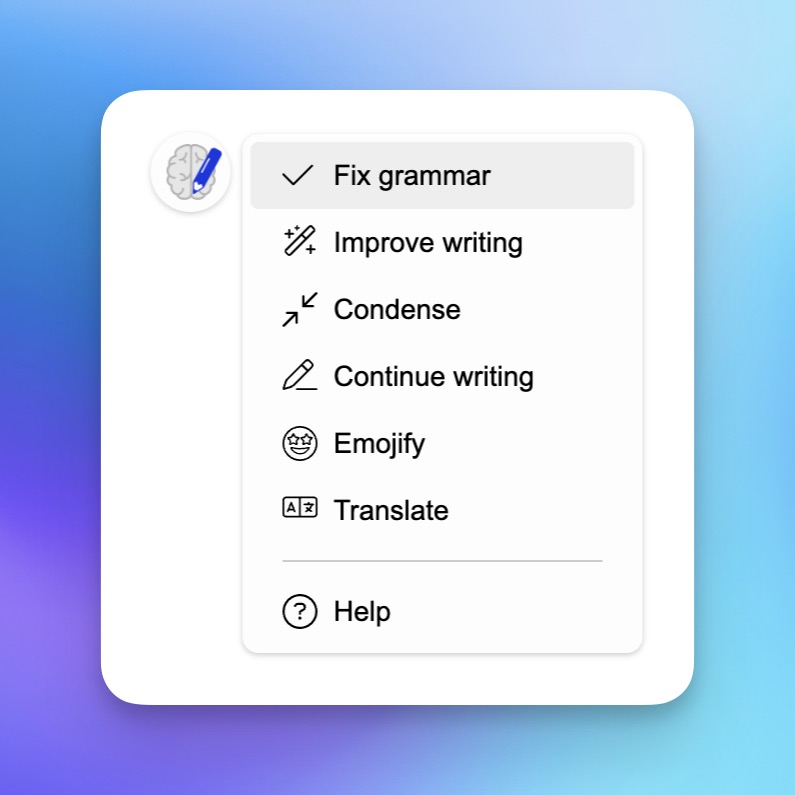
Write Brain turns any website into a smarter writing workspace. Once installed as a Chrome extension, it quietly monitors your text as you type in emails, social posts, forms, or comments, flagging grammar mistakes and offering one-click fixes. Beyond basic proofreading, it helps sharpen clarity, trim wordy sentences, and inject more personality into your phrasing so your message lands exactly as intended.
Write Brain also goes beyond grammar correction with built-in translation and emoji suggestions, making it a versatile companion for everything from professional correspondence to casual social media banter. Whether you're replying to a YouTube comment in another language or adding a touch of flair to a tweet, Write Brain adapts to the context of your writing without ever leaving the page.
Designed for simplicity, the tool works silently in the background across virtually any web platform, eliminating the need to copy and paste text into separate editors. It's a lightweight, always-on writing coach for students, professionals, and content creators who want cleaner, more engaging prose with minimal effort.
Capabilities & Features
- Grammar checker
- Writing assistant
- Proofreading
- Translation
- Emoji
- Chrome extension
- AI writing
Core Features
- One-click grammar correction
- Writing clarity and style improvements
- Built-in text translation
- Context-aware emoji suggestions
- Works across virtually any website in Chrome
Use Cases
- Quickly fixing grammar errors in social media posts before publishing
- Tightening up and clarifying business emails for a more professional tone
- Translating foreign-language comments on platforms like YouTube
- Adding expressive emoji to casual messages and paragraphs
- Polishing academic writing or online forum posts for clarity
Best For
- Students
- Professionals
- Content creators
- Social media users
- Non-native English speakers
- Anyone who writes regularly online
Pros
- •Works seamlessly across the entire web, not just one platform
- •Combines grammar checking, style improvement, translation, and emoji suggestions in one tool
- •Simple one-click corrections speed up editing
- •Free tier available for light, occasional use
- •Flexible pricing with monthly, yearly, and one-time edit packs
Cons
- •Free plan is limited to only 30 edits per month
- •Unlimited usage requires a higher-cost Extensive Writer plan
- •Only available as a Chrome extension, limiting cross-browser use
- •Heavy users on lower tiers may need to purchase additional edit packs
How to Use
1. Install the Write Brain extension from the Chrome Web Store.
2. Start typing as you normally would on any website.
3. Write Brain automatically scans your text and highlights grammar issues and improvement suggestions.
4. Click on a suggestion to instantly apply the correction, translation, or emoji addition.
Frequently Asked Questions
Open in AI Studio
Ask our AI to evaluate if Write Brain fits your specific workflow.
Pricing
Write Brain offers a free plan with 30 edits per month, paid subscriptions from $5/month (300 edits) up to $19/month for unlimited edits, plus one-off edit packs starting at $9 for users who prefer pay-as-you-go access.
Pricing data is provided as a summary. Visit the vendor website for full tier details.