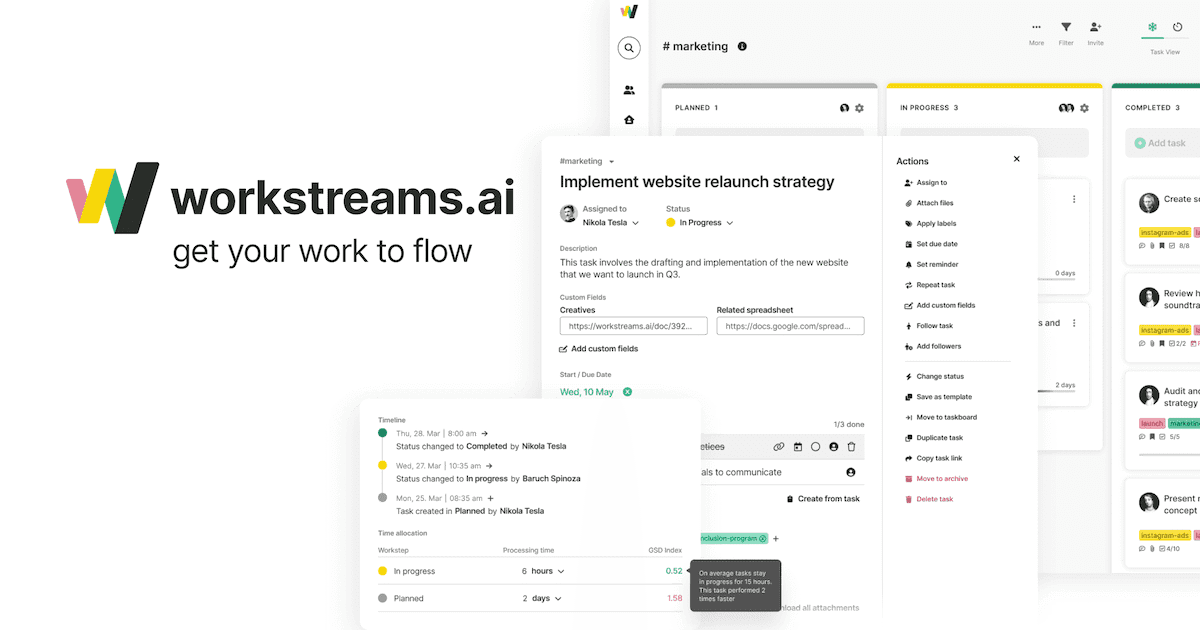
Workstreams.ai: Visual Workflow & Task Management Tool
Workstreams.ai is a visual project management platform that automates workflows and syncs directly with Slack and Microsoft Teams to keep teams aligned.
Overview
Workstreams.ai brings order to chaotic team collaboration by combining visual Kanban boards, workflow automation, and built-in time tracking into a single unified workspace. Rather than juggling separate apps for task management and communication, teams can create, assign, and monitor work items directly, ensuring nothing slips through the cracks and every project stays on schedule.
What sets this tool apart is its deep integration with Slack and Microsoft Teams, letting users spin up and manage tasks without ever leaving their chat window. Combined with features like recurring task automation, task templates, and a built-in calendar, workstreams.ai is designed to standardize repetitive processes across departments—from HR onboarding to sales pipelines—while giving leaders clear visibility into team performance and bottlenecks.
Whether you're coordinating a marketing campaign, managing IT sprints, or tracking customer support tickets, workstreams.ai adapts to a wide range of workflows. Its emphasis on time allocation and SLA tracking makes it especially useful for teams that need data-backed insight into how work actually gets done.
Capabilities & Features
- Project management
- Workflow automation
- Task management
- Collaboration
- Kanban
- Time tracking
- Slack integration
- Microsoft Teams integration
- Productivity
- Agile
Core Features
- Workflow automation for recurring tasks
- Visual Kanban board task management
- Time allocation and tracking per task
- Team performance analytics
- Native Slack and Microsoft Teams integration
- Built-in calendar view and task templates
Use Cases
- Standardizing recurring business processes with automated workflows
- Tracking time spent on tasks to uncover bottlenecks and improve SLAs
- Managing HR onboarding and recruiting pipelines
- Coordinating marketing campaigns and content calendars
- Handling customer support requests and feedback loops
Best For
- Project managers
- Team leaders
- Marketing teams
- HR departments
- IT departments
- Sales teams
- Account managers
- Customer support teams
Pros
- •Deep native integration with Slack and Microsoft Teams for chat-based task management
- •Automation reduces manual work for repetitive processes
- •Built-in time tracking helps identify workflow bottlenecks
- •Flexible enough to serve HR, sales, IT, and support teams alike
- •Free plan available for small teams
Cons
- •Free plan limited to just 3 team members
- •Per-user pricing can add up quickly for larger organizations
- •Enterprise pricing is not transparent and requires custom quotes
- •May offer more structure than very small or informal teams need
How to Use
1. Sign up and set up your team workspace. 2. Build custom workflows and Kanban boards tailored to your process. 3. Create tasks manually or use templates for recurring work. 4. Assign tasks, set priorities, and allocate time estimates. 5. Connect Slack or Microsoft Teams to manage tasks directly from chat. 6. Use the calendar view to plan deadlines and monitor upcoming work. 7. Review team performance metrics to spot bottlenecks and improve SLAs.
Frequently Asked Questions
Open in AI Studio
Ask our AI to evaluate if workstreams.ai fits your specific workflow.
Connect & Contact
Pricing
Workstreams.ai offers a free-forever plan for teams of up to 3 members, with Pro pricing at $7.99 per user/month (billed annually), plus custom Enterprise plans for larger organizations.
Pricing data is provided as a summary. Visit the vendor website for full tier details.