VOMO AI: AI Meeting Transcription & Smart Notes Tool
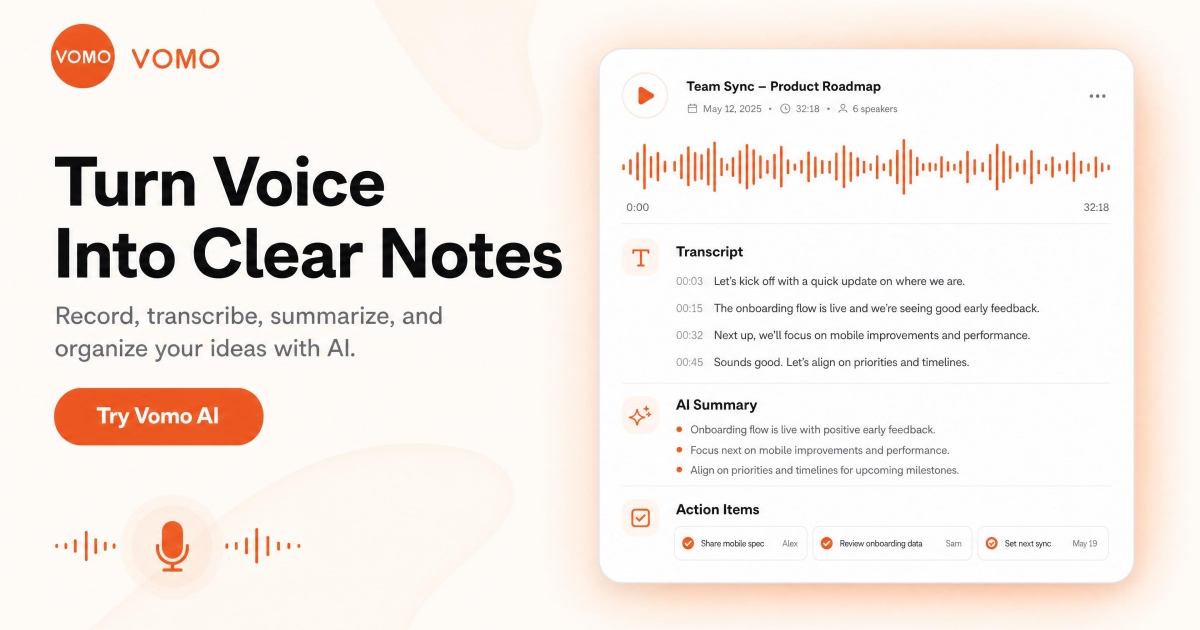
VOMO AI turns your spoken meetings into organized, actionable notes instantly, using GPT-4 to transcribe, summarize, and format content into slides, tables, and minutes.
Overview
VOMO AI is a smart productivity assistant built to eliminate the tedious work of manual note-taking during meetings and brainstorming sessions. By leveraging advanced AI transcription paired with GPT-4 powered summarization, it listens to your conversations and automatically converts raw speech into structured, readable content—whether that's meeting minutes, project outlines, or presentation-ready slide decks. Rather than scrambling to type while trying to stay engaged in a discussion, users can simply talk naturally and let VOMO AI handle the heavy lifting.
What sets VOMO AI apart is its intelligent template-matching system, which detects the context of your conversation and applies the most relevant format automatically, whether you're planning a project, capturing brainstorm ideas, or documenting a formal meeting. Beyond live recording, the tool also supports file uploads and YouTube video imports, transforming any audio or video source into SmartNotes. With unlimited cloud storage, easy folder organization, and one-click sharing, VOMO AI positions itself as a comprehensive hub for capturing and distributing spoken knowledge.
Designed with productivity and creativity in mind, VOMO AI reduces the friction between thinking and documenting. It's particularly valuable for teams and individuals who regularly sit through long discussions and need a reliable way to extract organized, shareable insights without losing focus on the conversation itself.
Capabilities & Features
- AI transcription
- Meeting summarization
- Note-taking
- Voice-to-text
- Productivity
- Collaboration
- GPT-4
- Cloud storage
- SmartNotes
Core Features
- AI-powered transcription and summarization using GPT-4
- Automatic scene and template matching for different content types
- AI-assisted information retrieval from past notes
- Folder-based organization system
- Unlimited cloud storage for all recordings and notes
- One-click sharing of notes and transcripts
- File upload and YouTube video import for SmartNotes generation
Use Cases
- Automatically transcribing and summarizing team meetings
- Turning brainstorming sessions into organized project plans
- Converting spoken discussions into slide decks and tables
- Generating formal meeting minutes without manual typing
- Importing YouTube videos or audio files to create searchable SmartNotes
Best For
- Project managers
- Team leaders
- Meeting facilitators
- Note-takers
- Researchers
- Students
- Content creators
Pros
- •Saves significant time by automating transcription and summarization
- •Smart template matching reduces manual formatting work
- •Supports multiple input methods including live recording, file upload, and YouTube import
- •Unlimited cloud storage means no worry about running out of space
- •Easy one-click sharing streamlines team collaboration
Cons
- •Pricing structure is not clearly disclosed, making budgeting difficult
- •Supported transcription languages are not specified
- •No clear information on limits for recording length or file size
- •Data security and privacy measures are not explicitly detailed
How to Use
Start by simply speaking during your meeting, brainstorming session, or lecture—VOMO AI automatically records, transcribes, and summarizes the conversation in real time. The tool intelligently detects the context and matches an appropriate template, such as meeting minutes, project plans, or brainstorming notes. If you already have existing content, you can upload audio/video files or import a YouTube link directly into VOMO AI to generate SmartNotes. Once processed, organize your notes into folders, convert them into slide decks or tables as needed, and share the finished output with collaborators using the one-click sharing feature.
Frequently Asked Questions
Connect & Contact
Pricing
Specific pricing details for VOMO AI are not publicly listed, so prospective users should check directly with the provider for current plans and costs.
Pricing data is provided as a summary. Visit the vendor website for full tier details.