Todook Bot: AI Chatbot for WhatsApp, IG & FB Sales
Todook is an AI chatbot platform that automates customer conversations across WhatsApp, Instagram, Facebook, and Messenger to drive sales and support.
Overview
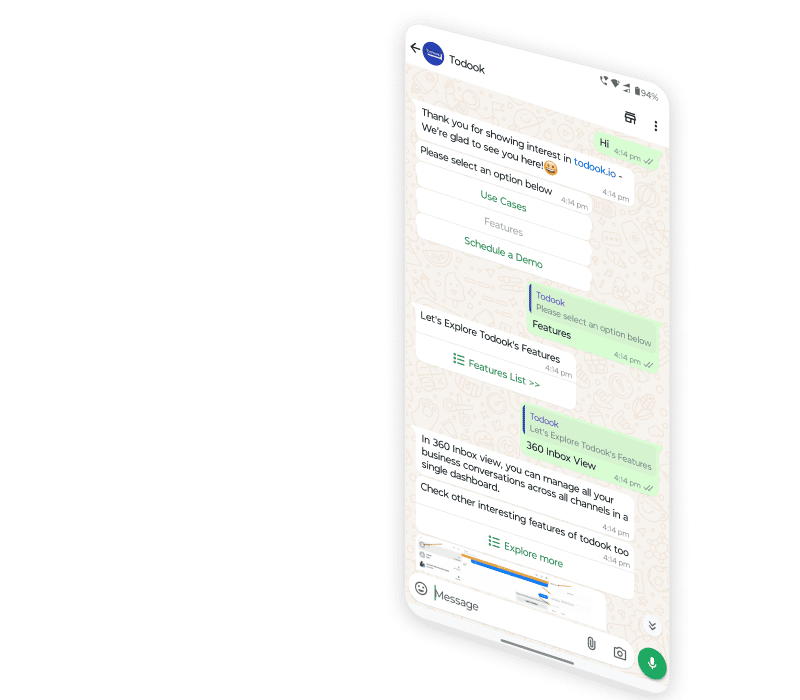
Todook Bot is a multi-channel AI chatbot platform built to help businesses automate the way they engage customers, generate leads, and close sales across the social platforms people already use—WhatsApp, Facebook, Instagram, and Messenger. Rather than juggling separate inboxes, teams can design custom messaging flows, automate comment replies, run story and lead ad automations, and trigger drip campaigns from a single dashboard, turning scattered conversations into a cohesive sales funnel.
Beyond automation, Todook leans on AI-driven customer segmentation to personalize outreach, send tailored product recommendations, and schedule appointments without manual back-and-forth. Its real-time analytics dashboard gives businesses visibility into campaign performance so they can continuously refine their messaging strategy. With native e-commerce integrations, Todook is positioned as a growth tool for businesses that want to convert casual social media interactions into recurring revenue while reducing the workload on support teams.
From real estate agencies scheduling property viewings to travel companies nurturing leads and e-commerce stores recovering abandoned carts, Todook's flexible automation framework adapts to a wide range of industries that rely heavily on conversational commerce.
Capabilities & Features
- AI chatbot
- Customer support
- WhatsApp automation
- Facebook automation
- Instagram automation
- E-commerce integration
- Lead generation
- Marketing automation
- Customer engagement
- Social media marketing
Core Features
- AI-powered WhatsApp assistant for automated conversations
- Automated comment replies and story automation on social posts
- Customizable, no-code messaging flow builder
- Real-time analytics dashboard for performance tracking
- Seamless integration with e-commerce platforms
- AI-based customer segmentation for personalized broadcasts
Use Cases
- Automating customer support responses on WhatsApp
- Converting Facebook pages into always-on customer service hubs
- Turning Instagram engagement into a direct sales channel
- Sending personalized product recommendations via chat
- Automating replies to comments on social media posts
- Segmenting customer lists for targeted, personalized broadcasts
Best For
- E-commerce businesses
- Real estate companies
- Automobile dealerships
- Insurance companies
- Tourism and travel agencies
- Marketing professionals
- Customer support teams
Pros
- •Centralizes customer conversations across WhatsApp, Instagram, Facebook, and Messenger
- •No-code flow builder makes automation accessible to non-technical users
- •AI segmentation enables more personalized, targeted messaging
- •Built-in analytics help teams optimize campaigns without third-party tools
- •Supports multi-location businesses with location-based discovery features
Cons
- •Pricing details are not publicly listed, requiring direct contact for quotes
- •Heavy reliance on social platform APIs means functionality may shift with platform policy changes
- •Advanced automation setup may still require a learning curve for complex workflows
- •Deep e-commerce integrations may be limited to specific supported platforms
How to Use
1. Sign up for a Todook account and log into the dashboard. 2. Connect your social media profiles (WhatsApp, Facebook, Instagram, Messenger) and any other tools you use. 3. Build and customize your messaging flows using the flow editor to match your sales or support process. 4. Set up automations such as comment replies, lead ad responses, drip campaigns, and appointment scheduling. 5. Launch your automated campaigns across connected channels. 6. Track engagement and conversions via the real-time analytics dashboard and adjust your flows based on performance data.
Frequently Asked Questions
Pricing
Todook does not publish standard pricing tiers; prospective users typically need to contact the company directly for a custom quote based on business needs.
Pricing data is provided as a summary. Visit the vendor website for full tier details.