Textomap 2.0: Turn Text & CSV Files Into Interactive Maps
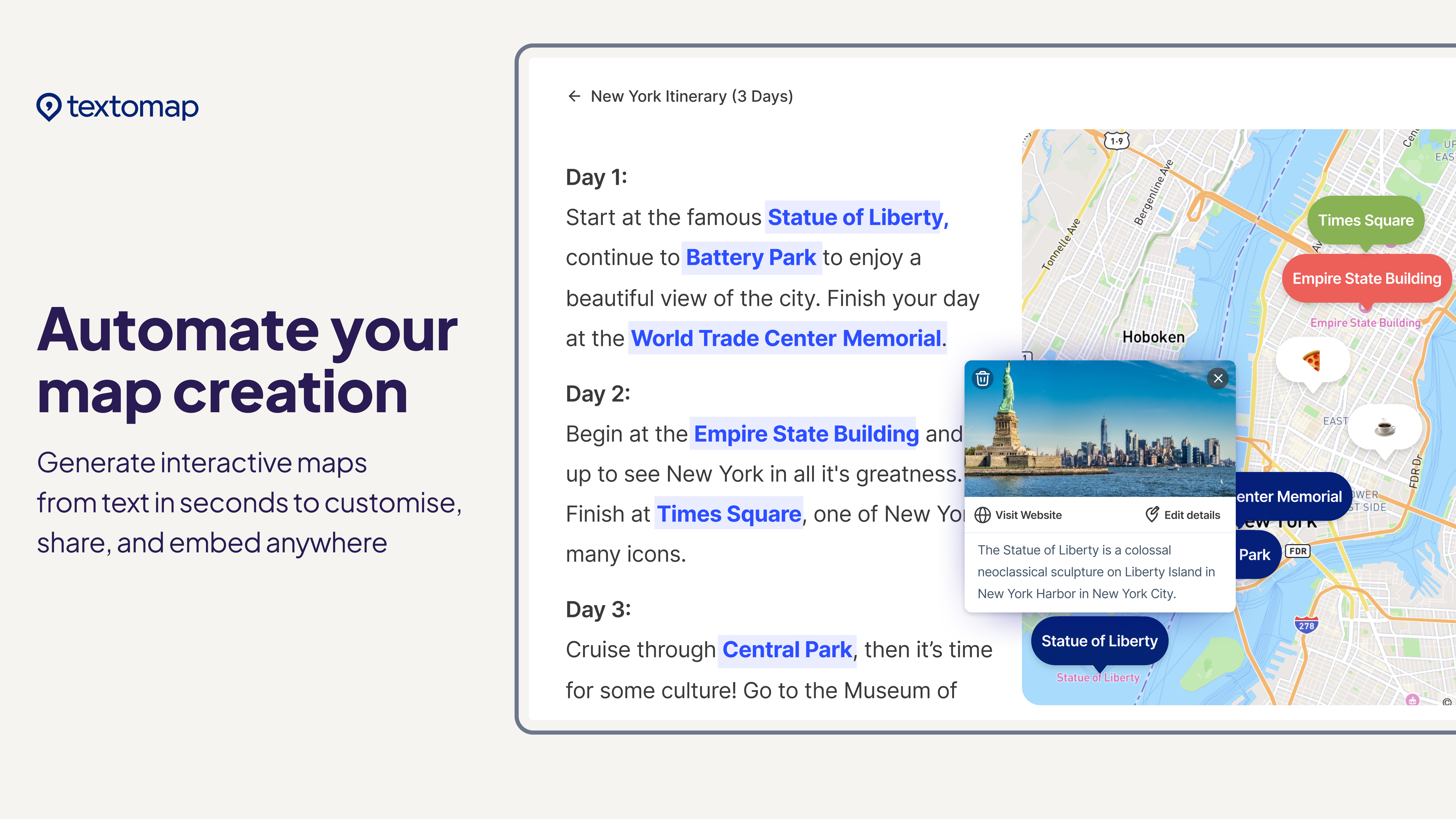
Textomap 2.0 transforms plain text, ChatGPT prompts, or CSV files into fully interactive, embeddable maps in seconds.
Overview
Textomap 2.0 reimagines how location-based content gets built by letting anyone convert raw text, AI-generated prompts, or spreadsheet data into polished interactive maps—no GIS expertise or complicated software required. Instead of manually plotting coordinates, users simply paste text describing places, ask ChatGPT to generate a list of locations, or upload a CSV with latitude and longitude data, and Textomap automatically detects and plots each point.
Once the map is generated, users can customize every pin with descriptions, images, colors, and clickable links, then embed the finished product directly onto a website or blog. This makes it especially useful for storytellers, educators, and marketers who want to add a visual, geographic layer to their content without the overhead of traditional mapping tools like Google My Maps or GIS software.
Capabilities & Features
- Interactive maps
- Map creation
- Text to map
- AI mapping
- Data visualization
- Location-based content
- ChatGPT integration
- CSV import
- Embeddable maps
Core Features
- Text-to-map conversion that auto-detects locations from written content
- AI-powered map generation using ChatGPT prompts
- CSV import and export for bulk location data handling
- Fully customizable pins with images, colors, descriptions, and links
- One-click website embedding and social sharing
- Export capability to Google Maps on paid plans
Use Cases
- Building interactive travel itineraries for personal or client trips
- Adding location context to blog posts and news articles
- Creating geography or history class materials for students
- Mapping settings and events from eBooks or long-form content
- Visualizing bulk location datasets uploaded via CSV
Best For
- Content creators and bloggers
- Travel agents and travel writers
- Educators and curriculum designers
- News and media professionals
- Small businesses visualizing location data
Pros
- •No technical or GIS skills needed to build interactive maps
- •AI prompt support speeds up location gathering via ChatGPT
- •Highly customizable pins with rich media and links
- •Free plan allows unlimited map creation to get started
- •CSV import/export streamlines handling large datasets on paid tiers
Cons
- •Free plan is limited to 10 saved maps and only 10 shared views per month
- •CSV import/export and Google Maps export are locked behind paid plans
- •Map views are capped even on paid tiers, which could restrict high-traffic embeds
- •Character limits per map may constrain very detailed or lengthy location descriptions
How to Use
1. Choose your input method: paste text containing location names, enter a ChatGPT prompt to auto-generate locations, or upload a CSV file with coordinates. 2. Let Textomap automatically scan and plot the detected locations onto an interactive map. 3. Customize each pin with descriptions, images, colors, and links to match your content. 4. Save your map and share it via a direct link, social media post, or embed code on your website.
Frequently Asked Questions
Open in AI Studio
Ask our AI to evaluate if Textomap 2.0 fits your specific workflow.
Connect & Contact
Pricing
Textomap offers a free tier with unlimited map creation but capped views and saves, while paid plans start at $8/mo for unlimited saved maps and CSV support, scaling up to $19/mo for higher view limits, with a Custom Enterprise option for larger needs.
Pricing data is provided as a summary. Visit the vendor website for full tier details.