Shy Editor: AI Writing Assistant & Online Text Editor
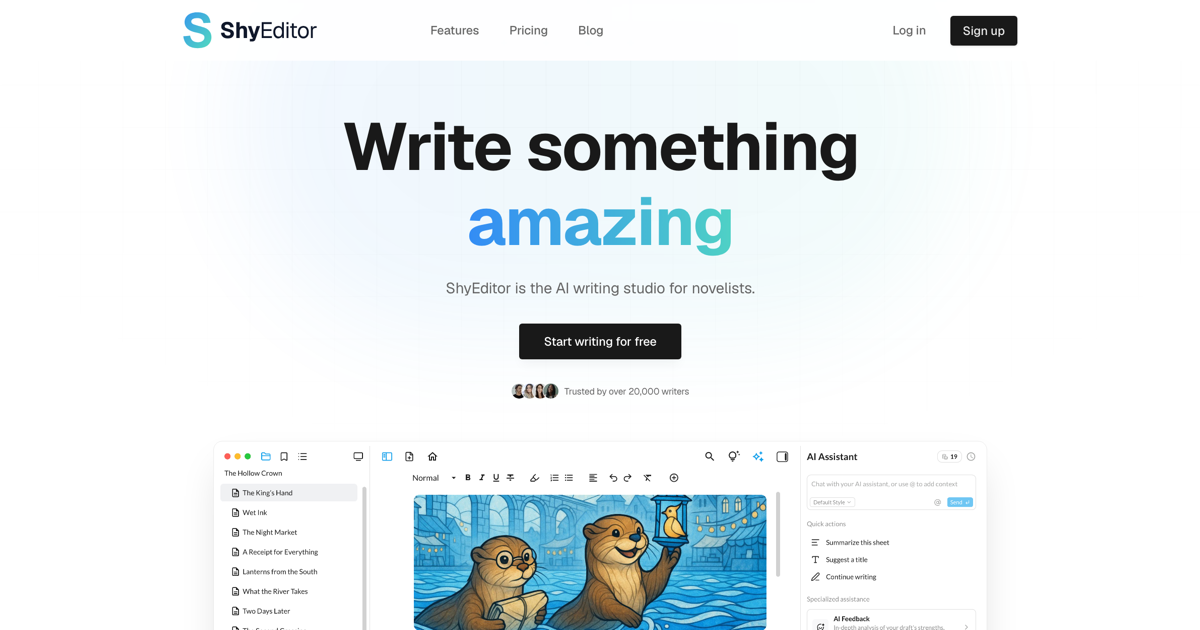
Shy Editor is an AI-powered online writing environment that helps novelists, students, and professionals write, organize, and polish their work without losing their voice.
Overview
Shy Editor reimagines the blank page as a collaborative workspace, blending a distraction-free writing environment with intelligent AI support that enhances rather than replaces the writer. Whether you're drafting a novel, polishing an academic paper, or churning out blog content, the platform layers in grammar checking, style suggestions, and organizational tools to keep your workflow smooth and your prose sharp.
Built with modern writers in mind, Shy Editor serves a wide range of use cases—from long-form fiction with chapters and scenes to legal documents and journalistic pieces that demand precision. Its project management features let you structure complex works easily, while version control ensures you never lose a previous draft. Citation and bibliography tools make it especially handy for academics and researchers juggling sources.
What sets Shy Editor apart is its philosophy: AI as a creative partner, not a crutch. Writers get real-time feedback and suggestions, but the final voice and vision remain entirely their own. With flexible export options and a clean, focused interface, it's a tool designed to fit into—rather than disrupt—your existing writing process.
Capabilities & Features
- text editor
- AI
- writing
- academic writing
- grammar checker
- organization
- distraction-free
- version control
- bibliographies
- citations
Core Features
- AI writing assistant for real-time suggestions and feedback
- Intelligent grammar and style checker
- Project, chapter, and scene organization tools
- Distraction-free writing environment
- Version control for tracking drafts and changes
- Built-in bibliography and citation management
Use Cases
- Drafting and structuring full-length novels and fiction manuscripts
- Writing and formatting academic papers with proper citations
- Planning and publishing blog posts and content marketing pieces
- Producing polished journalism and news articles
- Drafting legal documents with precision and clarity
Best For
- Novelists
- Fiction writers
- Students
- Academics
- Researchers
- Bloggers
- Content creators
- Journalists
- Lawyers
Pros
- •Generous free tier with real AI assistance and unlimited projects
- •Flexible export options covering TXT, PDF, DOCX, and Markdown
- •Built-in citation and bibliography tools save academic writers time
- •Version control protects work and simplifies editing history
- •Distraction-free interface keeps focus on writing, not formatting
Cons
- •Free plan's 20 monthly AI credits may feel limiting for heavy users
- •Advanced features like AI image generation and deep research require the Pro upgrade
- •5GB storage cap on Pro plan may not suit writers with large media-heavy projects
- •No visible team or collaboration-focused tier for co-writing
How to Use
1. Sign up and start writing for free directly on the Shy Editor website. 2. Let the AI assistant offer real-time suggestions and feedback as you type. 3. Use the built-in file structure to organize projects into chapters, scenes, or sections. 4. Leverage version control to track changes and revert when needed. 5. Export your finished work to TXT, PDF, DOCX, or Markdown formats.
Frequently Asked Questions
Pricing
Shy Editor offers a free Basic plan with limited AI credits and storage, plus a $10/month Pro plan unlocking expanded AI usage, more storage, advanced export formats, version control, and priority support.
Pricing data is provided as a summary. Visit the vendor website for full tier details.