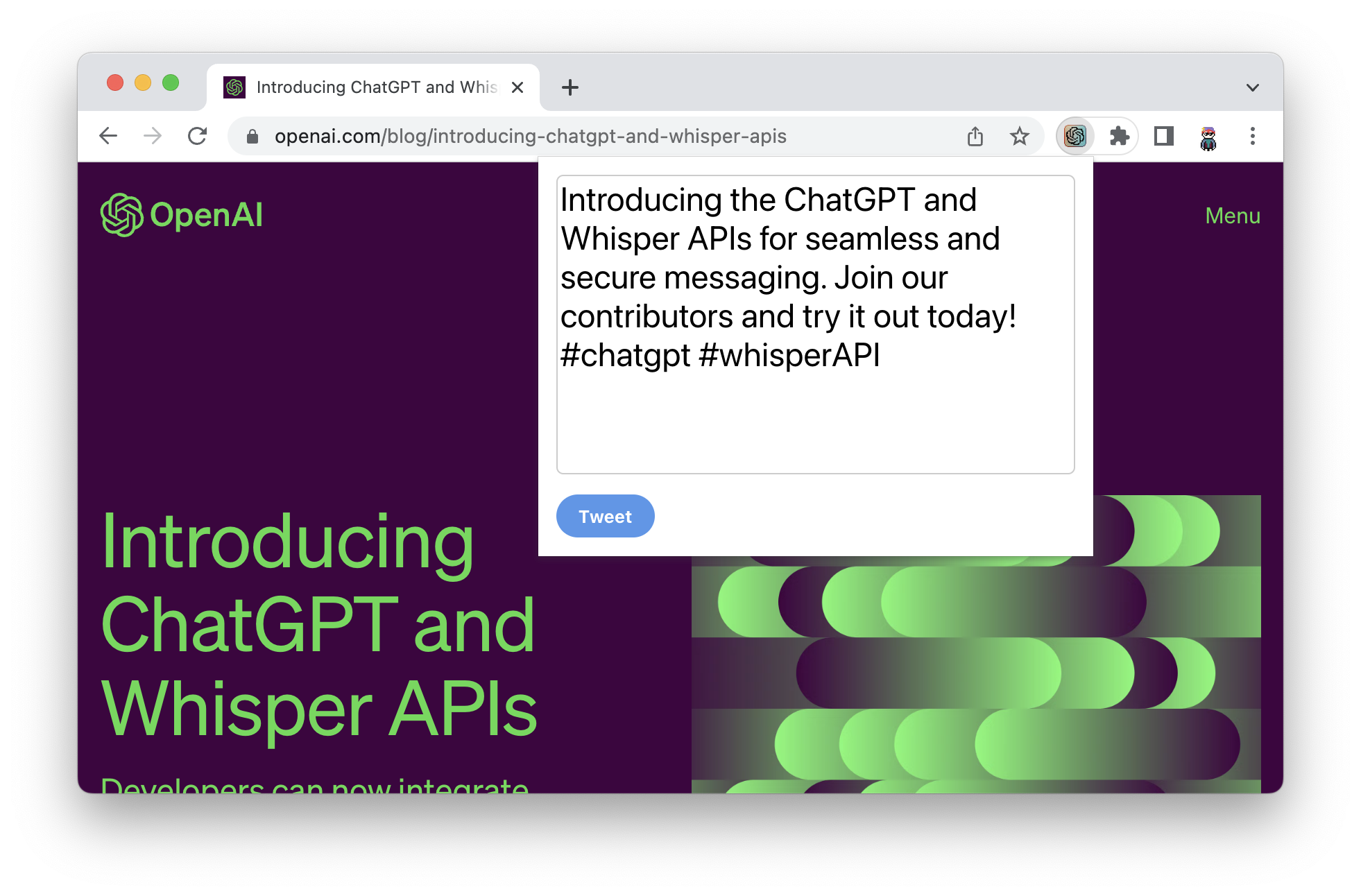
Share by ChatGPT: AI Web Page Summarizer Extension
A browser extension that uses ChatGPT to instantly summarize web pages, making it effortless to share concise, engaging content on social media.
Overview
Share by ChatGPT is a handy browser extension designed for anyone who wants to distill lengthy web content into shareable, digestible summaries. Powered by ChatGPT, it scans the page you're viewing and generates a concise recap, saving you the time and effort of manually condensing articles, blog posts, or research papers before posting them online.
Available for both Chrome and Firefox, the extension integrates seamlessly into your browsing routine. Whether you're curating content for a company's social channels, sharing interesting reads with your network, or summarizing dense research for colleagues, this tool turns any webpage into a quick, social-media-ready snippet in just a few clicks.
Capabilities & Features
- ChatGPT
- Browser extension
- Summarization
- Social media sharing
- Content sharing
- Web page summarization
Core Features
- AI-powered summarization using ChatGPT
- One-click access from the browser toolbar
- Optimized output for social media sharing
- Cross-browser support for Chrome and Firefox
- Works on articles, blog posts, and research content
Use Cases
- Quickly share summaries of trending news articles on Twitter
- Condense academic or research papers for sharing with colleagues on LinkedIn
- Extract key takeaways from long-form blog posts for Facebook posts
- Curate content summaries for social media management workflows
- Save time when sharing interesting reads with students or study groups
Best For
- Social media managers
- Content creators
- Researchers
- Students
- Journalists
Pros
- •Saves time by automating the summarization process
- •Makes sharing complex or lengthy content simple and fast
- •Easy one-click integration into everyday browsing
- •Available on two of the most popular browsers
- •Useful across multiple professional and academic contexts
Cons
- •No support for browsers beyond Chrome and Firefox
- •Summary quality depends on ChatGPT's interpretation of page content
- •May struggle with pages that have heavy dynamic content or paywalls
- •Lacks built-in customization for summary length or tone
How to Use
1. Install the Share by ChatGPT extension from the Chrome Web Store or Firefox Add-ons page.
2. Navigate to the webpage or article you'd like to share.
3. Click the extension icon to generate an AI-powered summary of the page using ChatGPT.
4. Review and edit the summary if needed.
5. Share the finished summary directly to your preferred social media platform.
Frequently Asked Questions
Open in AI Studio
Ask our AI to evaluate if Share by ChatGPT fits your specific workflow.
Pricing
Pricing details are not specified, so availability of free or paid tiers should be confirmed on the extension's official listing.
Pricing data is provided as a summary. Visit the vendor website for full tier details.