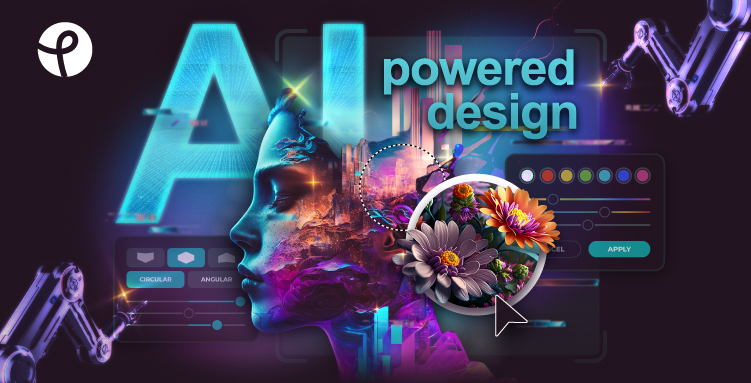
Pixlr Review: AI-Powered Online Photo Editor & Design
Pixlr brings AI-powered photo editing and graphic design tools straight to your browser, no downloads required. It's a fast, flexible alternative to desktop software for creators of all skill levels.
Overview
Pixlr is a cloud-based photo editing and design suite that puts professional-grade tools within reach of anyone with a browser or mobile device. Rather than forcing users into a single rigid workflow, Pixlr splits its editing experience into two modes: Pixlr X for quick, template-driven design work, and Pixlr E for deeper, layer-based photo editing that mirrors traditional desktop software. Layered on top of both is a growing suite of AI capabilities, including one-click background removal and text-to-image generation, that speed up repetitive tasks and open creative possibilities without requiring design expertise.
Beyond individual photo edits, Pixlr functions as a full design platform with a template library, animation tools, and a batch editor for processing multiple images at once. This makes it equally useful for a solo content creator resizing a YouTube banner and a marketing team churning out dozens of product images. Because everything runs in the cloud, work is accessible across devices, and Pixlr also supports third-party integrations, making it easy to embed its editing capabilities into other platforms and workflows.
With free access alongside tiered paid plans, Pixlr appeals to hobbyists who just need occasional touch-ups as well as businesses that require team collaboration and heavier AI usage. The combination of accessibility, AI assistance, and design flexibility positions it as a practical middle ground between basic mobile photo apps and complex professional software.
Capabilities & Features
- Photo editor
- AI image generator
- Online design tool
- Background remover
- Template design
- Batch editor
- Image editing
- AI photo editing
Core Features
- Dual editing modes: Pixlr X for quick edits, Pixlr E for advanced editing
- AI-powered image generation and background removal
- Extensive template library for social media, business, and marketing materials
- Batch editor for processing multiple images simultaneously
- Animation design tools
- Cross-device access via web, desktop, and mobile apps
- Support for third-party platform integrations
Use Cases
- Designing YouTube banners and Instagram stories for social media campaigns
- Removing or replacing backgrounds in product photography
- Creating profile pictures and personal branding graphics
- Building business cards, flyers, and presentation slides
- Batch-editing large photo sets for e-commerce or portfolio use
Best For
- Photographers
- Graphic designers
- Social media managers
- Marketing professionals
- Content creators
- Small business owners
- Educators
Pros
- •No software installation needed—fully browser-based with mobile and desktop access
- •Two distinct editing modes cater to both beginners and advanced users
- •AI tools like background removal and image generation save significant editing time
- •Batch editing streamlines repetitive tasks for high-volume users
- •Large template and design element library reduces design time from scratch
Cons
- •AI credits are limited by plan tier and can run out during heavy use
- •Advanced editing features in Pixlr E may still involve a learning curve for true beginners
- •No refunds once a subscription payment is processed
- •Team plan pricing may be steep for very small operations needing just a couple of seats
How to Use
Begin by opening Pixlr and choosing your starting point: a blank canvas, an uploaded photo or video, or a pre-made template from the library. For fast, straightforward edits and social graphics, use Pixlr X; for more detailed, layer-based photo manipulation, switch to Pixlr E. Apply AI tools such as background removal or image generation to speed up your workflow, then use the batch editor if you need to apply changes across multiple images at once. Once finished, export or save your project, accessible across web, desktop, and mobile via your Pixlr account.
Frequently Asked Questions
Connect & Contact
Pricing
Pixlr offers a free tier plus three paid plans ranging from $2.49/month for ad-free basics to $9.99/month for expanded AI credits and premium assets, up to $16.99/month for team collaboration with five seats.
Pricing data is provided as a summary. Visit the vendor website for full tier details.