Pixelied: Free AI Graphic Design & Photo Editor Online
Pixelied is a free, all-in-one online design suite that lets anyone create stunning graphics, edit photos, and generate AI images without design experience.
Overview
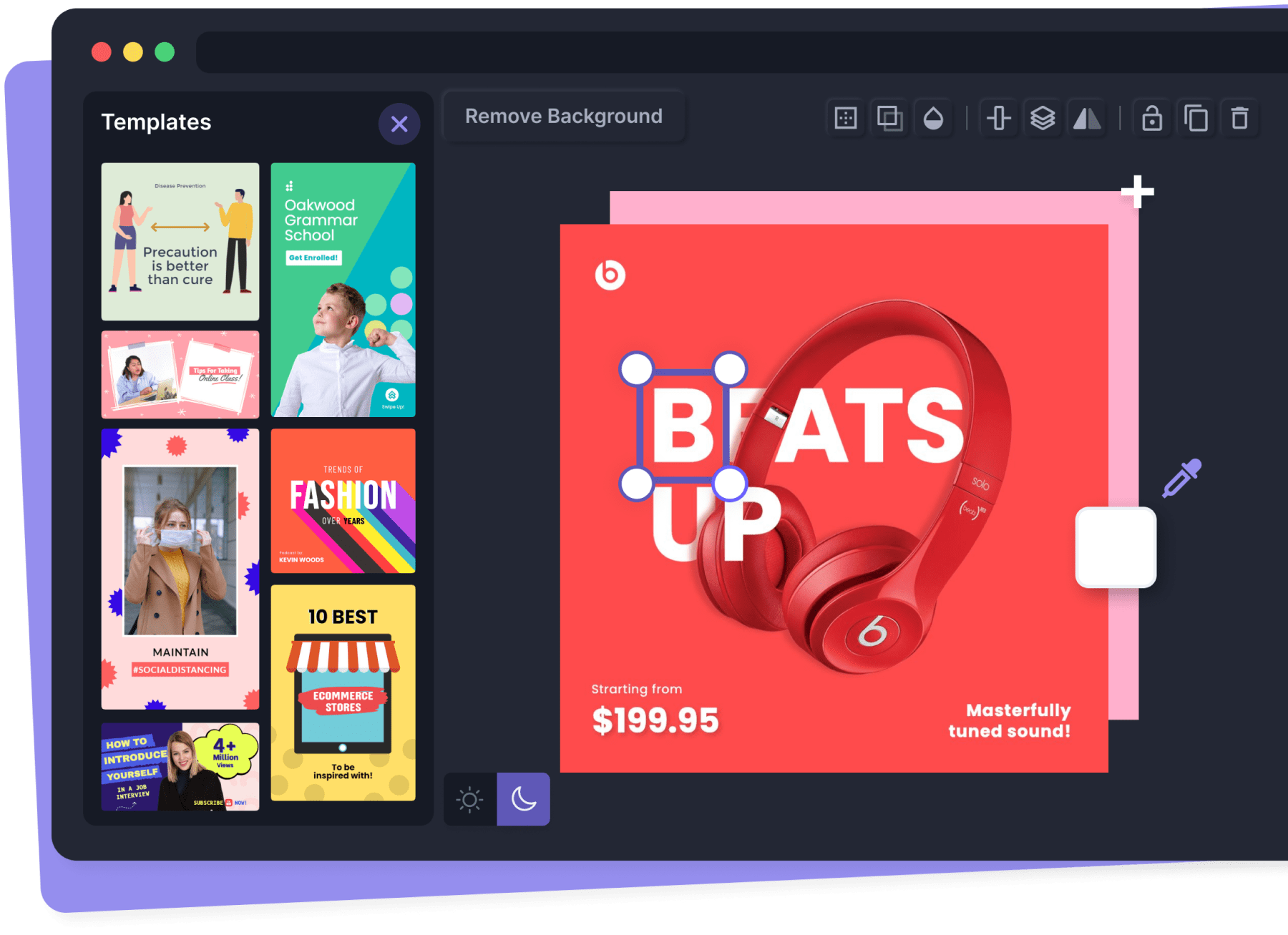
Pixelied is a browser-based graphic design platform built for marketers, entrepreneurs, and everyday creators who need professional-looking visuals fast. Combining an AI image generator, background remover, and full-featured photo editor with thousands of customizable templates, stock photos, and mockups, Pixelied removes the traditional barriers to design work. Whether you're crafting a logo, editing product shots for your online store, or whipping up a social media post, the platform's drag-and-drop tools make the process approachable for non-designers while still offering enough depth for more advanced projects.
Beyond core photo editing, Pixelied rounds out its toolkit with niche utilities like SVG icon editing, print-on-demand design support, passport photo creation, image format conversion, and a font generator—consolidating what would normally require several separate apps into one workspace. Teams can also set up brand-specific workspaces and invite collaborators, making it easy for marketers, copywriters, and designers to work together on campaigns. With a genuinely free plan that requires no credit card, Pixelied is an accessible entry point for small businesses and solo creators looking to scale their visual content without a design budget.
Capabilities & Features
- Graphic design
- Photo editor
- Online design tool
- Social media design
- Template design
- Mockup generator
- Icon maker
- AI Image Generator
- Background Remover
Core Features
- AI-powered image generation
- One-click background remover
- Full-featured online photo editor
- Ready-made mockups and SVG icon library
- SVG editor and font generator
- Image format converter and passport photo tool
Use Cases
- Creating eye-catching social media graphics
- Designing marketing materials for campaigns
- Editing and enhancing e-commerce product photos
- Generating custom logos and illustrations
- Building mockups for apps, websites, and print-on-demand products
Best For
- Marketers
- E-commerce businesses
- Social media managers
- Bloggers
- Small business owners
- Non-designers
Pros
- •Free plan with full access to core tools and no credit card required
- •Wide range of features consolidated into a single platform
- •Beginner-friendly interface suited for non-designers
- •Large library of templates, mockups, and stock assets
- •Supports team collaboration through shared workspaces
Cons
- •Limited pricing transparency for advanced or premium features
- •May lack the depth and precision of professional design software like Photoshop
- •AI image generation quality can vary depending on prompt complexity
- •Heavy reliance on templates may limit fully custom or unique designs
How to Use
1. Sign up for a free Pixelied account—no credit card required. 2. Browse the template library and choose a design suited to your platform (social media, email, streaming graphics, etc.). 3. Customize your design using the photo editor: swap images, remove or replace backgrounds, add icons and illustrations, or generate visuals with the AI image tool. 4. Use additional tools like the SVG editor, mockup generator, or font generator to refine branding elements. 5. Invite team members to your workspace if collaborating on a project. 6. Export or convert your finished design into the desired image format for immediate use.
Frequently Asked Questions
Open in AI Studio
Ask our AI to evaluate if Pixelied Image AI fits your specific workflow.
Connect & Contact
Pricing
Pixelied offers a genuinely free plan with no credit card required, giving users access to its core design and editing tools right away.
Pricing data is provided as a summary. Visit the vendor website for full tier details.