AiPassportPhotos: AI Passport & Visa Photo Maker
Turn any selfie into a compliant passport or visa photo in seconds using AI-powered resizing, background removal, and country-specific formatting.
Overview
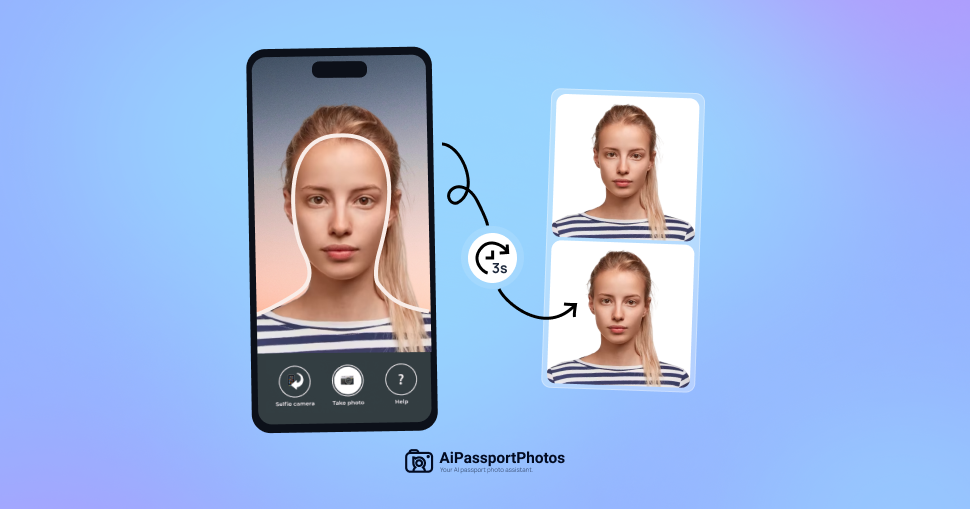
AiPassportPhotos takes the guesswork out of getting official ID photos right. Instead of booking an appointment at a photo studio or fumbling with manual cropping tools, users simply upload an existing photo and let the platform's AI handle the technical requirements automatically—resizing dimensions, cleaning up the background, and adjusting the image to meet the specific rules of a given country's passport or visa office. The result is a print-ready or digital photo that meets biometric standards without the usual hassle.
Beyond passports, the tool is built to handle a range of official documents including visas, green cards, and driver's licenses, making it a flexible option for travelers, immigrants, students, and job seekers who frequently need compliant photos on short notice. By automating compliance checks that would otherwise require research into each country's photo rules, AiPassportPhotos reduces the risk of application delays or rejections caused by common photo errors like incorrect sizing or unacceptable backgrounds.
Capabilities & Features
- Passport photo maker
- Visa photo maker
- AI photo editor
- Biometric photo
- Online photo tool
- Photo resizer
- Background remover
- Compliance check
Core Features
- AI-powered automatic photo resizing and formatting
- Automatic background removal and replacement
- Built-in compliance checks for country-specific passport and visa rules
- Printable template generation for at-home printing
- Support for multiple document types beyond passports
Use Cases
- Creating a compliant photo for a new or renewed US passport
- Generating visa photos formatted for a specific destination country
- Producing ID photos for green card and immigration applications
- Making photos for driver's licenses and other government ID cards
- Quickly getting travel-ready photos before an international trip
Best For
- Travelers
- Immigrants
- Students
- Job seekers
- Families
Pros
- •Eliminates the need for in-person photo studio visits
- •Fast turnaround from upload to download
- •Reduces risk of application rejection due to formatting errors
- •Works with photos taken on a regular smartphone
- •Supports multiple document and country requirements in one tool
Cons
- •Fully automated editing may struggle with unusual lighting or backgrounds
- •Users must still follow guidelines like appropriate clothing and pose
- •No official pricing details available, making cost comparison difficult
- •Digital tool cannot replace official verification for every country's edge-case rules
How to Use
1. Take or select a clear photo of yourself, ideally with a smartphone. 2. Upload the photo to the AiPassportPhotos website. 3. Choose the specific document type you need, such as a US passport or a particular country's visa. 4. Let the AI automatically resize, adjust the background, and format the image to match official specifications. 5. Download the finished digital photo or a printable template ready for use.
Frequently Asked Questions
Open in AI Studio
Ask our AI to evaluate if Passport Photo Template fits your specific workflow.
Connect & Contact
Pricing
Specific pricing details were not provided, so cost information should be confirmed directly on the AiPassportPhotos website before use.
Pricing data is provided as a summary. Visit the vendor website for full tier details.