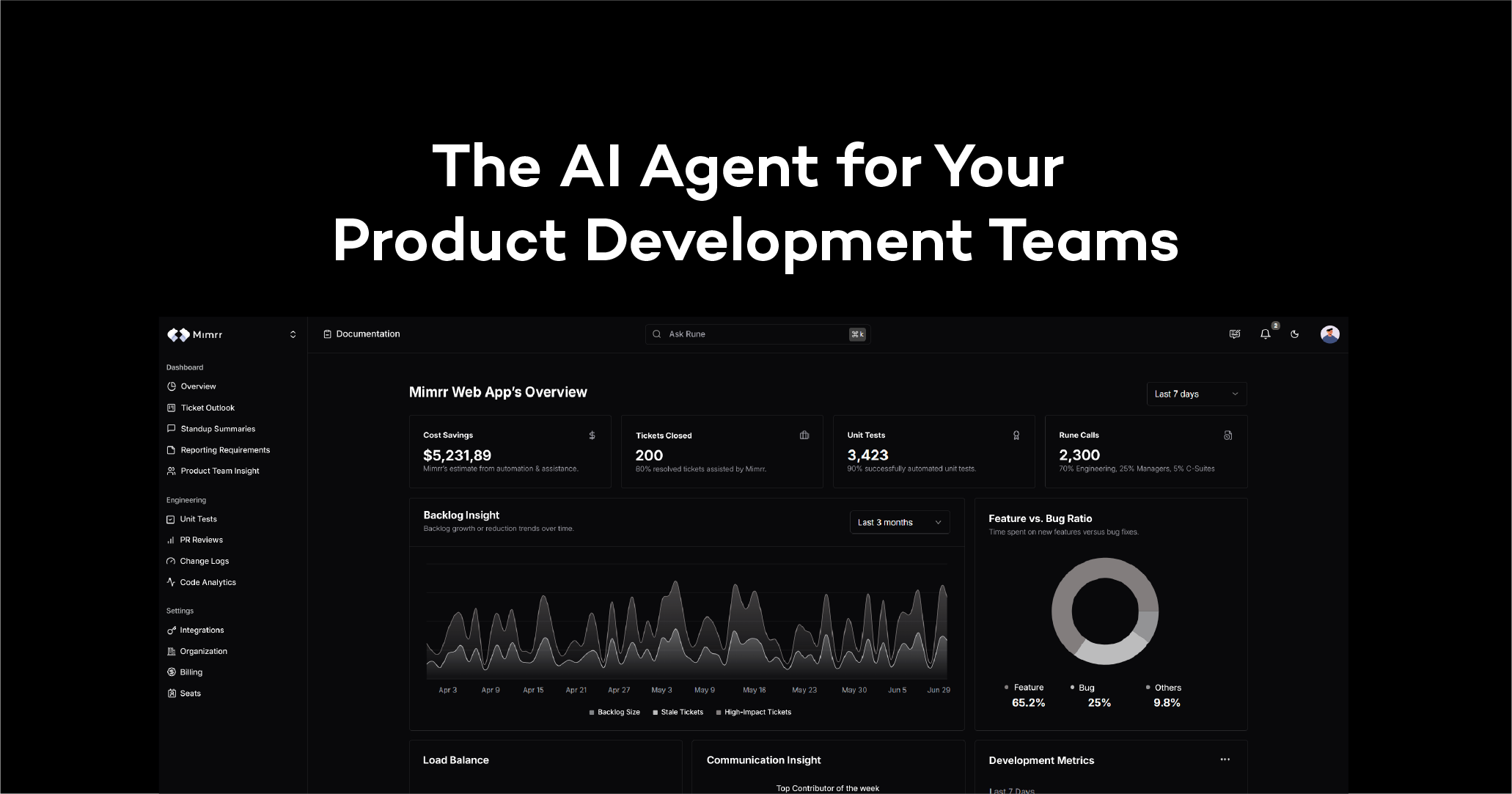
Mimrr: AI Code Documentation & Dev Automation Tool
Mimrr is an AI-powered documentation engine that automates code docs, unit tests, tickets, and PR reviews for software teams.
Overview
Mimrr tackles one of software development's most neglected chores: keeping documentation accurate and up to date. By applying AI directly to your codebase, Mimrr automatically generates and maintains documentation, freeing developers and product managers from tedious, repetitive work so they can focus on building and shipping features. Rather than existing as a standalone silo, it plugs directly into the tools teams already rely on—GitHub, GitLab, Azure DevOps, Bitbucket, Slack, and Jira—layering automation and intelligence on top of existing workflows while keeping data privacy front and center.
Beyond documentation, Mimrr extends its automation to unit tests, ticket writing, requirement reporting, and PR reviews, effectively acting as an always-on assistant for engineering teams. Its Rune chat feature also accelerates developer onboarding, giving new hires a conversational way to understand unfamiliar codebases without digging through outdated wikis or bothering senior engineers. For leadership, Mimrr surfaces actionable insights into the development process, helping bridge the communication gap between technical teams and product management.
Capabilities & Features
- AI code documentation
- Code documentation
- AI Agent
- Product Development
- Automation
- Developer tools
- Productivity
- Technical debt reduction
- Collaboration
- Knowledge management
- Onboarding
Core Features
- AI-generated code documentation that updates automatically as the codebase changes
- Native integrations with GitHub, GitLab, Azure DevOps, Bitbucket, Slack, and Jira
- Automated unit test creation, ticket writing, and PR review assistance
- Actionable insights into development workflows for stakeholders and managers
- Rune chat for fast, conversational developer onboarding
- Built with data privacy as a core design principle
Use Cases
- Automatically generating and maintaining public API documentation and private internal docs
- Fast-tracking new developer onboarding by letting them query the codebase via Rune chat
- Reducing technical debt through consistent, always-current documentation
- Automating unit tests, ticket creation, and requirement reporting to save engineering time
- Improving collaboration and visibility between developers and product managers
Best For
- Software developers
- Product managers
- Engineering teams
- Software companies and startups
- Enterprise development organizations
Pros
- •Eliminates manual, repetitive documentation work
- •Integrates directly into existing dev tools without disrupting workflows
- •Speeds up onboarding for new developers with conversational code exploration
- •Automates multiple workflow tasks beyond documentation, like testing and PR reviews
- •Gives non-technical stakeholders visibility into engineering progress
Cons
- •Pricing isn't transparently listed, requiring direct contact for quotes
- •Reliance on AI-generated documentation may still require human review for accuracy
- •Initial setup requires connecting and configuring multiple third-party tools
- •May be less useful for solo developers or teams without complex workflows
How to Use
1. Connect your development stack—GitHub, GitLab, Azure DevOps, Bitbucket, Slack, and Jira—to Mimrr. 2. Set up your project by adding a code repository, a ticket/issues group, and a communications channel. 3. Onboard your product and development team members into the workspace. 4. Let Mimrr automate repetitive tasks such as generating documentation, writing unit tests, drafting tickets, and reviewing pull requests. 5. Use Rune chat to help new developers quickly get up to speed on the codebase.
Frequently Asked Questions
Pricing
Mimrr offers custom plans designed to scale from startups to enterprise organizations, though specific pricing details aren't publicly listed.
Pricing data is provided as a summary. Visit the vendor website for full tier details.