Macaify: ChatGPT Hotkeys for Any Mac App
Macaify brings ChatGPT's power directly into any Mac application via simple hotkeys, letting you process text, generate code, and automate tasks without ever leaving your workflow.
Overview
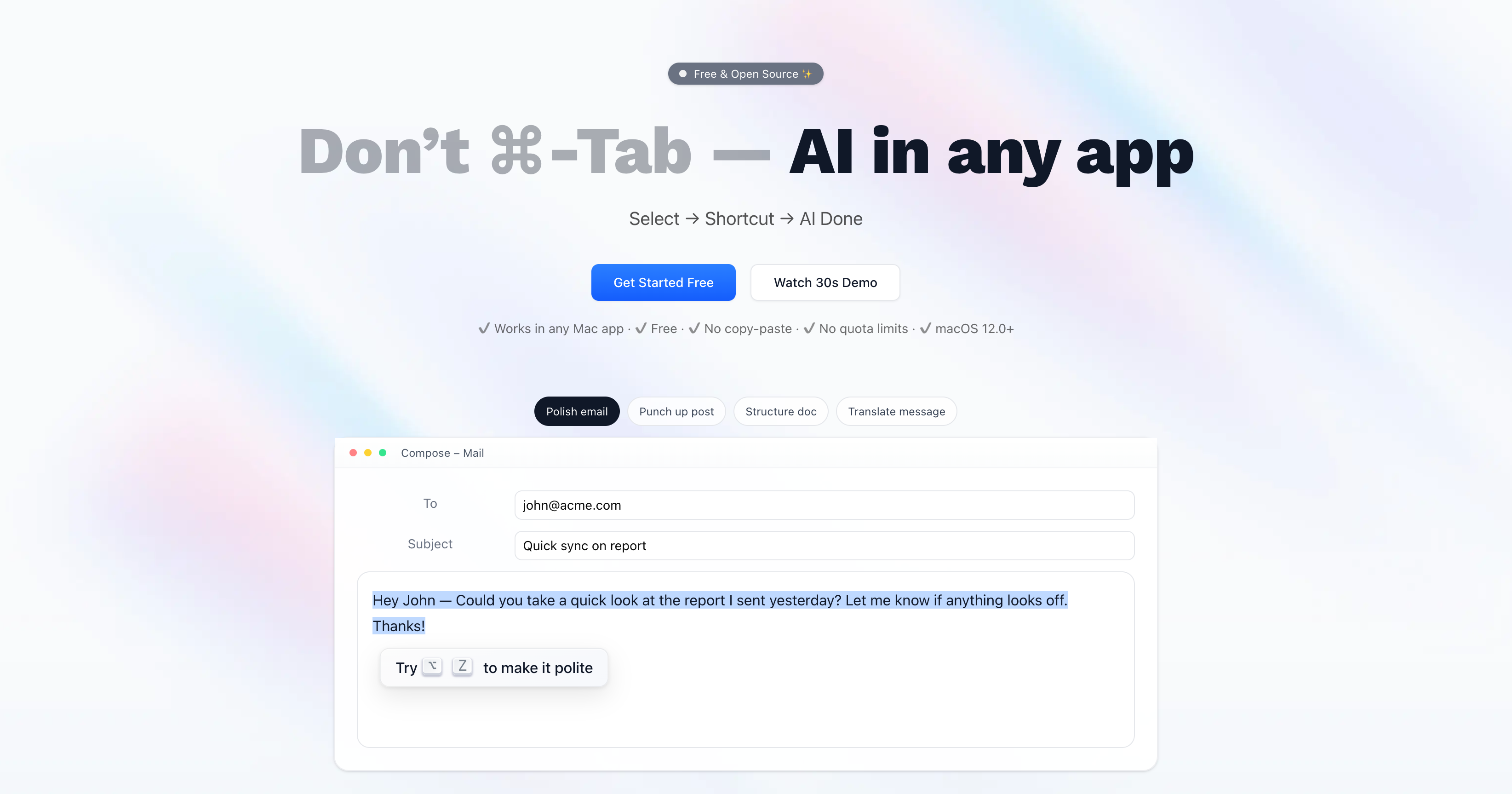
Macaify transforms your Mac into an AI-powered productivity machine by embedding ChatGPT functionality into every application you use. Instead of copying text back and forth to a browser tab, you simply select content, hit a customizable hotkey, and let AI handle the rest—whether that's rewriting text, generating code, or summarizing information. This seamless integration eliminates app-switching friction and keeps you in your creative or technical flow.
What sets Macaify apart is its deep customization through AI 'robots'—pre-configured assistants tailored to specific tasks. With access to over 1000 ready-made templates, users can instantly deploy specialized bots for writing, coding, research, or marketing without building prompts from scratch. The tool also supports processing web URLs and is actively expanding toward image generation and text-to-speech capabilities, positioning it as a growing all-in-one AI companion for macOS.
Built for developers, writers, researchers, students, and marketers alike, Macaify's hotkey-first design philosophy means less clicking and more doing. Whether you're debugging code, polishing an essay, or hunting for the latest web content, Macaify aims to make AI feel like a native extension of your Mac rather than a separate tool you have to think about using.
Capabilities & Features
- ChatGPT
- AI assistant
- Productivity tool
- Mac application
- Automation
- Text processing
- Code generation
- Hotkeys
- AI robots
Core Features
- Native ChatGPT integration across all Mac applications
- Customizable AI 'robots' for task-specific automation
- Hotkey-driven workflow requiring no app switching
- Web URL processing for content analysis
- Library of 1000+ pre-built robot templates
- Support for your own API key
Use Cases
- Rewriting and refining text inside any document or email app
- Generating and debugging code snippets on the fly
- Automating repetitive writing or research tasks
- Pulling and summarizing the latest internet content
- Creating images and converting text to speech (upcoming features)
Best For
- Developers
- Writers
- Researchers
- Students
- Marketing professionals
- Productivity-focused Mac users
Pros
- •Works inside virtually any Mac app without switching windows
- •Huge library of 1000+ customizable robot templates
- •Flexible pricing with a usable free tier
- •Supports bringing your own API key for cost control
- •Hotkey-based design keeps hands on the keyboard
Cons
- •Some advertised features like image generation and TTS are not yet available
- •Monthly usage quotas may limit heavy users on lower tiers
- •Mac-only, so no cross-platform support for Windows or Linux users
- •Learning to configure custom robots may take time for new users
How to Use
1. Select any text within an application on your Mac. 2. Press your designated shortcut key to trigger Macaify. 3. The AI processes your request instantly using the context of the selected text. 4. Customize or choose from 1000+ robot templates to match specific workflows like coding, writing, or research. 5. Hold the command key at any time to reveal shortcut prompts for faster keyboard-only operation.
Frequently Asked Questions
Open in AI Studio
Ask our AI to evaluate if Macaify - Make your Mac-AI-fy fits your specific workflow.
Connect & Contact
Pricing
Macaify offers a free plan with 50 monthly queries and access to 1000+ bots, while paid tiers start at $8/month for expanded AI features and scale up to $20/month for heavy users needing 3000 monthly queries and priority support.
Pricing data is provided as a summary. Visit the vendor website for full tier details.