Luw.ai: AI Interior & Exterior Design Rendering Tool
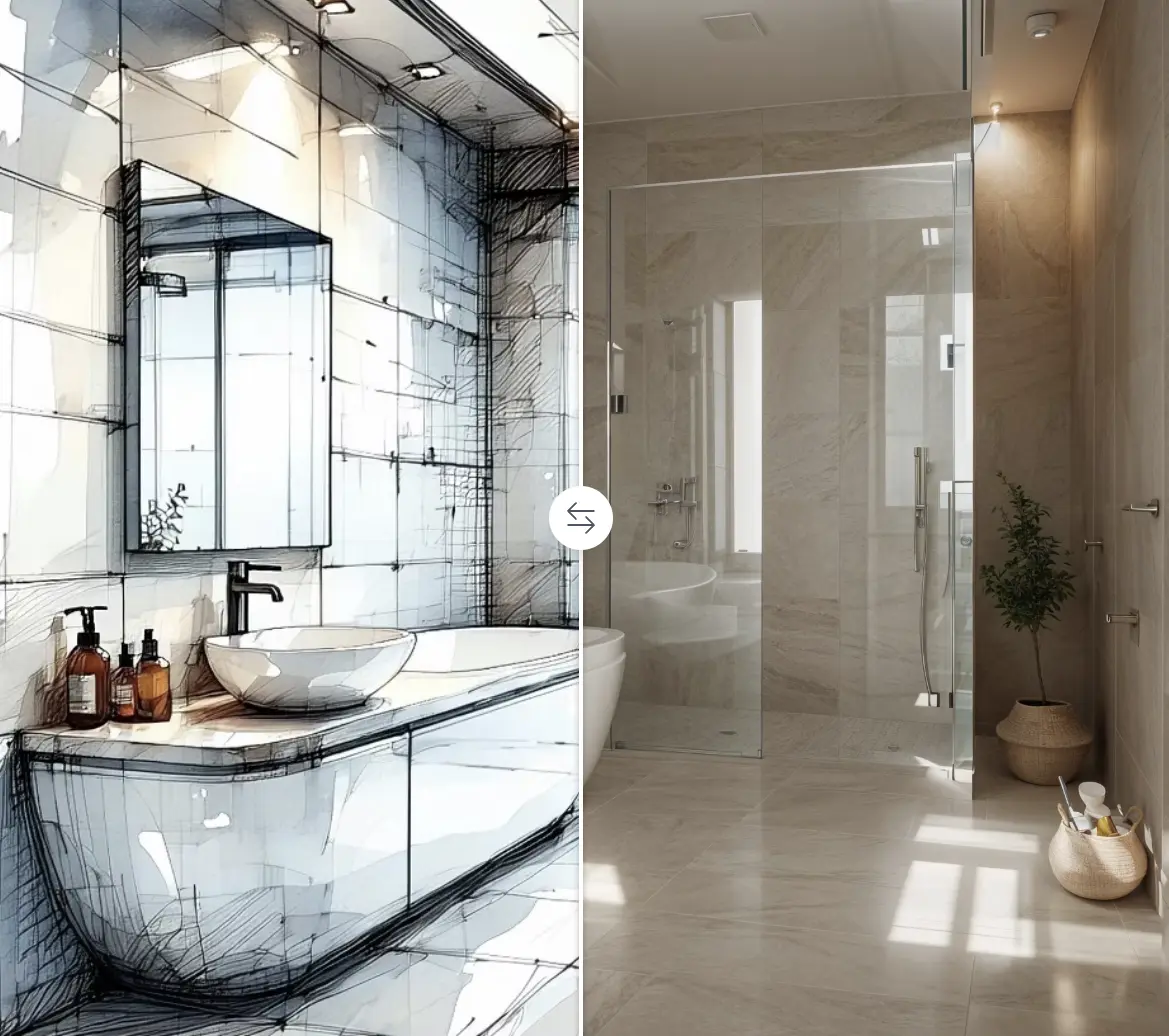
Luw.ai turns photos, sketches, or text prompts into stunning interior and exterior design renders using AI. It's built for architects, designers, and homeowners who want to visualize spaces instantly.
Overview
Luw.ai is an AI-driven design platform that transforms how architects, interior designers, and everyday homeowners visualize spaces. By simply uploading a photo, sketch, or typing a text description, users can generate photorealistic renders and creative redesign options in seconds, eliminating the need for expensive 3D modeling software or lengthy design cycles.
Beyond basic redesigns, Luw.ai packs a full suite of specialized AI tools including a Magic Wand for targeted object editing, a Resizer for upscaling image quality, ArchiGPT for conversational architectural advice, and a Floor Planner for generating interactive layouts. Whether you're compatible with 3D modeling software like SketchUp or Revit, or working purely from a hand sketch, Luw.ai bridges the gap between concept and polished visual.
The platform serves a wide range of use cases, from redesigning a living room and reimagining a home's exterior facade to producing 3D models from text and generating marketing-ready images for real estate listings. Its accessible, no-code interface makes professional-grade rendering achievable for students, hobbyists, and industry veterans alike.
Capabilities & Features
- AI design
- Interior design
- Exterior design
- AI rendering
- 3D modeling
- Architecture
- Home design
- Virtual staging
- AI room planner
- AI home design
- Image editing
- Floor planning
Core Features
- Interior AI and Exterior AI for photo-based space redesigns
- Magic Wand AI for precise object removal, addition, and replacement
- 3DGen AI to generate 3D models directly from text prompts
- Floor Planner AI for creating interactive floor plans
- ArchiGPT chatbot for architecture and design guidance
- HD export with up to 8X image supersizing
Use Cases
- Redesigning a living room with new furniture arrangements and styles
- Transforming a home exterior with different paint colors and landscaping
- Generating 3D architectural models straight from text descriptions
- Producing polished marketing images for real estate listings
- Creating interactive floor plans for new construction projects
Best For
- Architects
- Interior designers
- Exterior designers
- Architecture and design students
- Homeowners
- Real estate professionals
- Marketing professionals
Pros
- •Wide range of specialized tools covering interior, exterior, 3D, and floor planning needs
- •Works with photos, sketches, and text prompts for flexible input methods
- •Magic Wand tool allows precise, localized edits without redoing the whole design
- •Compatible with screenshots from major 3D modeling software like SketchUp and Revit
- •No design experience or coding knowledge required to get started
Cons
- •Free plan outputs include watermarks and are restricted to non-commercial use
- •Commercial usage requires an active paid subscription
- •Quality of AI-generated renders may vary depending on input image or sketch clarity
- •Learning to use the full suite of tools effectively may take some experimentation
How to Use
1. Upload a photo or sketch of your space, or type a text prompt describing your vision. 2. Select the appropriate AI tool (Interior AI, Exterior AI, 3DGen, Floor Planner, etc.) based on your project needs. 3. Let Luw.ai's models generate multiple render and redesign options. 4. Use the Magic Wand tool to mask specific areas and add, remove, or replace objects as needed. 5. Refine image quality and size with the Resizer AI if necessary. 6. Export your final design in high definition, scalable up to 4X or 8X resolution.
Frequently Asked Questions
Connect & Contact
Pricing
Specific pricing tiers were not disclosed, but Luw.ai operates on a freemium model where free users get watermarked, non-commercial outputs, while paid plans unlock commercial usage rights and higher-resolution exports.
Pricing data is provided as a summary. Visit the vendor website for full tier details.