Lingvanex: Secure AI Translation & Speech Recognition
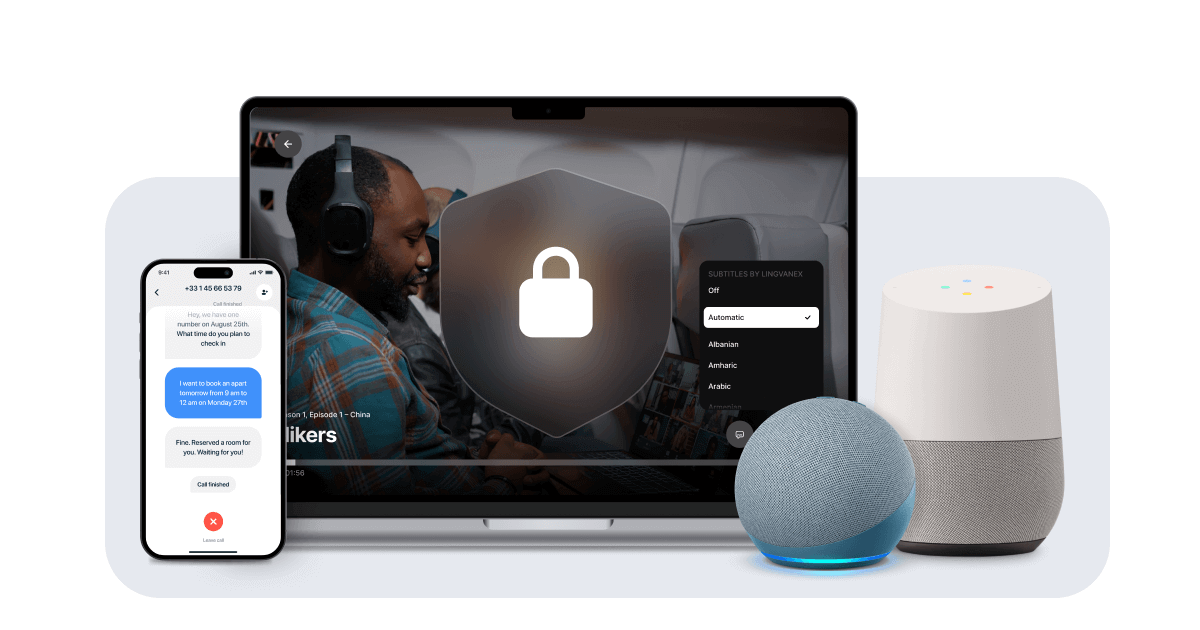
Lingvanex delivers enterprise-grade AI translation and speech recognition across 100+ languages, with secure on-premise deployment options for privacy-sensitive organizations.
Overview
Lingvanex is a comprehensive language technology suite built for organizations that need reliable, secure, and scalable translation solutions. Powered by advanced machine translation and speech recognition engines, it enables users to translate text, documents, audio, and images across more than 100 languages, with speech recognition available in 91 languages. What sets Lingvanex apart is its flexibility—businesses can choose between cloud-based APIs, native SDKs for iOS, Android, macOS, and Windows, or fully on-premise deployments that keep sensitive data entirely within their own infrastructure.
Beyond basic translation, Lingvanex addresses real business needs like data anonymization, summarization, and regulatory compliance, making it especially valuable for industries handling sensitive information such as defense, healthcare, legal, and government. Its translator apps extend to everyday tools like Slack, browsers, and desktop environments, ensuring language barriers don't slow down daily operations. Whether you're a developer integrating translation into a product or an enterprise seeking secure, offline-capable language processing, Lingvanex offers a tailored path to breaking down communication barriers without compromising on privacy or scale.
Capabilities & Features
- Machine Translation
- Speech Recognition
- Language Translation
- AI Translation
- On-premise Translation
- Translation API
- Translation SDK
- Data Anonymization
- Summarization
- Multilingual Communication
- Secure Translation
Core Features
- Machine translation across 100+ languages
- Speech recognition in 91 languages with punctuation support
- Fully on-premise deployment for data privacy and compliance
- Translation APIs and SDKs for iOS, Android, macOS, and Windows
- Data anonymization for sensitive information handling
- Text summarization capabilities
- Dedicated apps for PC, Slack, and browsers
Use Cases
- Securely translating large volumes of text and documents in offline, air-gapped environments
- Embedding automatic translation into existing software products and internal workflows
- Transcribing multilingual speech locally without relying on internet connectivity
- Enabling secure, multilingual internal and external communications
- Processing multilingual datasets for business intelligence and forensic e-discovery
Best For
- Businesses with international operations
- Language service providers
- Government agencies
- Legal professionals
- Healthcare organizations
- Educational institutions
- Software developers
- Marketing teams
Pros
- •Extensive language coverage with 100+ languages for translation and 91 for speech recognition
- •On-premise option ensures maximum data privacy and regulatory compliance
- •Flexible integration via APIs and SDKs across major platforms
- •Built-in tools like data anonymization and summarization add business value beyond basic translation
- •Supports everyday productivity tools like Slack and browser extensions
Cons
- •On-premise setup may require more technical resources and infrastructure than pure cloud solutions
- •Pricing is not publicly listed, requiring direct inquiry for cost planning
- •Advanced features may have a learning curve for non-technical users
- •Feature breadth could be overwhelming for teams with simple, single-use translation needs
How to Use
1. Identify your use case—text, document, audio, or image translation, or speech transcription. 2. Choose your deployment method: use the online translation tools for quick tasks, integrate the Translation API or SDK into your own applications and platforms, or install the on-premise software for maximum data privacy. 3. For developers, connect the API/SDK to your existing workflows on iOS, Android, macOS, or Windows. 4. For teams, install the dedicated apps for PC, Slack, or browser extensions to translate on the go. 5. Configure additional features like data anonymization or summarization as needed for compliance or business intelligence purposes.
Frequently Asked Questions
Connect & Contact
Pricing
Lingvanex does not publish standard pricing tiers; interested businesses need to contact the company directly to get a customized quote based on deployment type and usage scale.
Pricing data is provided as a summary. Visit the vendor website for full tier details.