Keywords AI: LLM Monitoring & API Platform for Startups
Keywords AI is a cost-effective LLM API and monitoring platform that helps startups debug, track, and ship reliable AI features with just 2 lines of code.
Overview
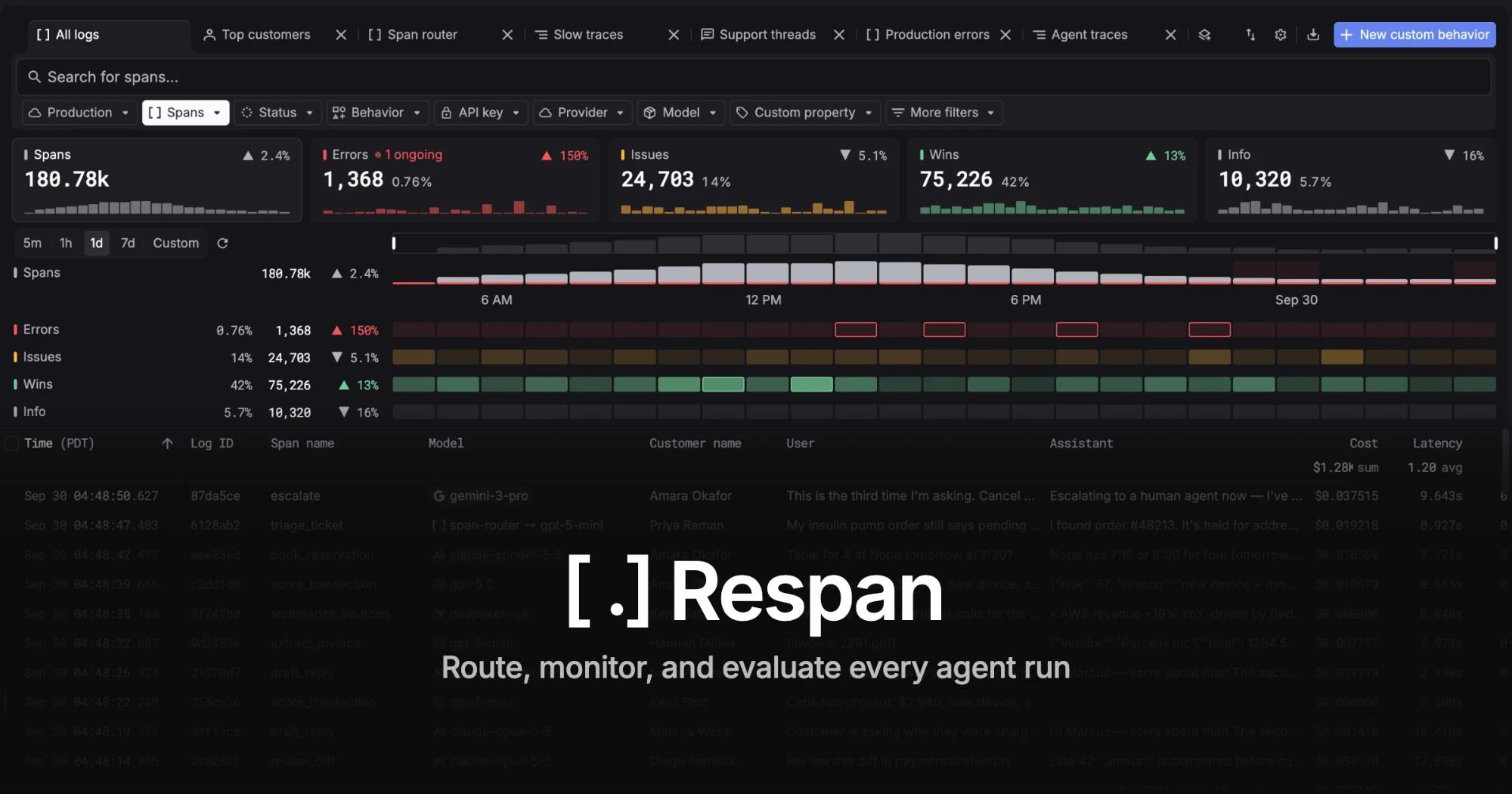
Keywords AI positions itself as the Datadog for LLM applications, giving AI startups and engineering teams a unified way to monitor, debug, and optimize their large language model workflows. Rather than forcing developers to juggle multiple vendor APIs, it provides a single unified endpoint for various LLMs, backed by scalable infrastructure and an OpenAI-compatible interface that makes migration virtually frictionless.
Beyond serving as a cost-effective alternative to GPT-4, the platform shines as an observability layer purpose-built for AI products. With pre-built dashboards, auto-evaluations, and session-level logging, teams can visualize performance metrics in real time and catch regressions before they reach users. A built-in playground supports rapid prompt experimentation, while dataset collection tools let teams gather production data to fine-tune and continuously improve their models.
Designed with simplicity in mind, Keywords AI requires only minimal code changes to integrate, making it accessible to small teams without dedicated MLOps resources. It's an ideal fit for startups that need enterprise-grade monitoring and reliability without the overhead of building custom observability infrastructure from scratch.
Capabilities & Features
- LLM monitoring
- LLM observability
- AI monitoring
- API
- GPT-4 alternative
- LLM proxy
- OpenAI SDK
- Anthropic SDK
- LangChain
- LlamaIndex
- OpenRouter
- LLM metrics
- Prompt management
- A/B testing
- Auto-evaluations
- Fine-tuning
- DevOps
- AI startups
Core Features
- Unified API endpoint supporting multiple LLMs
- Real-time LLM monitoring and logging
- Pre-built dashboards for key performance metrics
- Prompt and model testing playground
- Auto-evaluations for ongoing performance tracking
- Dataset collection for model fine-tuning
Use Cases
- Debugging and shipping reliable AI features faster through live monitoring
- Building, deploying, and tracking AI applications end-to-end
- Running prompt and model experiments in a dedicated playground
- Visualizing and logging every user session with ready-made dashboards
- Collecting production data to fine-tune and improve model performance
Best For
- AI startups
- Developers
- AI engineers
- MLOps engineers
Pros
- •Extremely fast integration with only 2 lines of code
- •OpenAI-compatible API minimizes migration effort
- •Comprehensive monitoring dashboards reduce debugging time
- •Built-in playground streamlines prompt iteration
- •Supports model fine-tuning through collected production data
Cons
- •No publicly listed pricing tiers, requiring direct inquiry for cost details
- •May offer more infrastructure than needed for very small-scale projects
- •Reliance on a third-party unified API could introduce a dependency point
- •Advanced features like auto-evaluations may require a learning curve for new users
How to Use
1. Sign up for a free trial to receive your API key.
2. Add Keywords AI to your codebase with just 2 lines of change—no major refactoring needed.
3. Since it's OpenAI compatible, point your existing OpenAI calls to Keywords AI without rewriting logic.
4. Use the built-in playground to test and compare prompts and models.
5. Monitor live traffic through pre-built dashboards tracking key LLM metrics.
6. Leverage auto-evaluations and collected datasets to fine-tune models and optimize performance over time.
Frequently Asked Questions
Open in AI Studio
Ask our AI to evaluate if Keywords AI fits your specific workflow.
Connect & Contact
Pricing
Specific pricing details aren't publicly listed, so interested teams should sign up for a free trial or contact Keywords AI directly for current plan options.
Pricing data is provided as a summary. Visit the vendor website for full tier details.