Help.center: AI Knowledge Base & Chatbot for Support
Help.center turns your existing help articles into an AI-powered chatbot and searchable knowledge base, delivering instant answers and cutting support tickets around the clock.
Overview
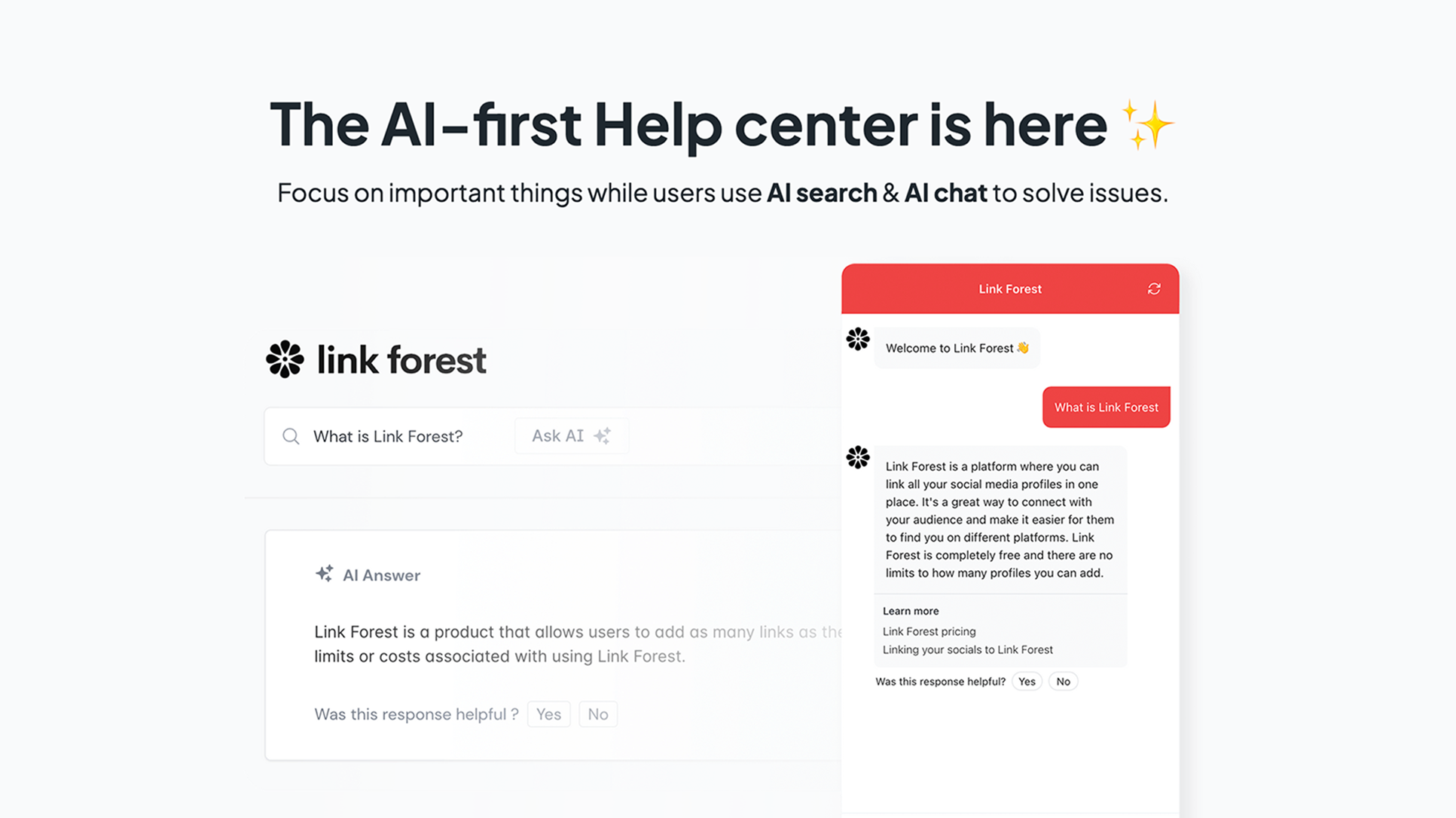
Help.center is a self-serve customer support platform that combines a branded knowledge base with a GPT-powered chatbot to answer customer questions instantly. Spin up your own yourcompany.help.center site, import existing articles from tools like Intercom, Zendesk, Crisp, or Freshdesk, and let the AI learn from your content automatically. Customers get accurate, conversational answers through AI-powered search or an embeddable chat widget, without waiting on a human agent.
Built for lean support teams, Help.center reduces repetitive ticket volume by deflecting common questions to AI while still offering a ticket inbox for issues that need a human touch. The AI continuously improves as you refine articles, review flagged conversations, and add more context, meaning your self-service experience gets smarter over time. With multilingual support and 24/7 availability, it's a practical way for growing businesses to scale support without scaling headcount.
Capabilities & Features
- AI chatbot
- Knowledge base
- Customer support
- Self-service
- AI
- ChatGPT
- Customer satisfaction
- Help desk
- FAQ
- Documentation
- Customer service
- AI Knowledge Base
Core Features
- AI-powered knowledge base with instant search
- GPT-4 driven chatbot widget for conversational support
- Ticket inbox for escalations beyond AI's reach
- Automatic learning from imported and updated articles
- Multilingual customer support
- 24/7 availability for self-service answers
Use Cases
- Deflecting repetitive support tickets with AI-generated instant answers
- Offering round-the-clock customer support via an embedded AI chatbot
- Building a self-service documentation portal on a custom help center domain
- Migrating and consolidating existing help content from tools like Zendesk or Intercom
- Supporting international customers with multilingual AI responses
Best For
- Customer support teams
- Small businesses
- Startups
- E-commerce businesses
- SaaS companies
Pros
- •Quick setup with one-click import from popular helpdesk platforms
- •Reduces ticket volume through automated, instant AI answers
- •Supports both self-serve search and conversational chat widget
- •AI answers improve over time by editing articles and reviewing flagged responses
- •Custom domain and branding removal available on paid plan
Cons
- •Free plan is limited to only 50 AI answers per month
- •Per-seat pricing on the Business plan can add up for larger teams
- •AI accuracy depends heavily on the quality and completeness of your help articles
- •Customer data may be processed outside the EU when using AI features
How to Use
1. Sign up and create your branded help center site at yourcompany.help.center. 2. Import your existing knowledge base articles from platforms like Intercom, Zendesk, Crisp, or Freshdesk, or write new ones. 3. Let the AI automatically learn from your articles. 4. Embed the AI chat widget on your website to offer conversational support. 5. Monitor AI conversations in the dashboard, review flagged answers, and refine articles to continuously improve response accuracy.
Frequently Asked Questions
Open in AI Studio
Ask our AI to evaluate if Help.center fits your specific workflow.
Connect & Contact
Pricing
Help.center offers a Free plan with a public knowledge base and 50 AI answers per month, while the Business plan at $19 per seat/month unlocks 500 monthly answers, a ticket inbox, integrations, custom domains, and branding removal.
Pricing data is provided as a summary. Visit the vendor website for full tier details.