FlowSavvy: Automated Time Blocking & Task Scheduling App
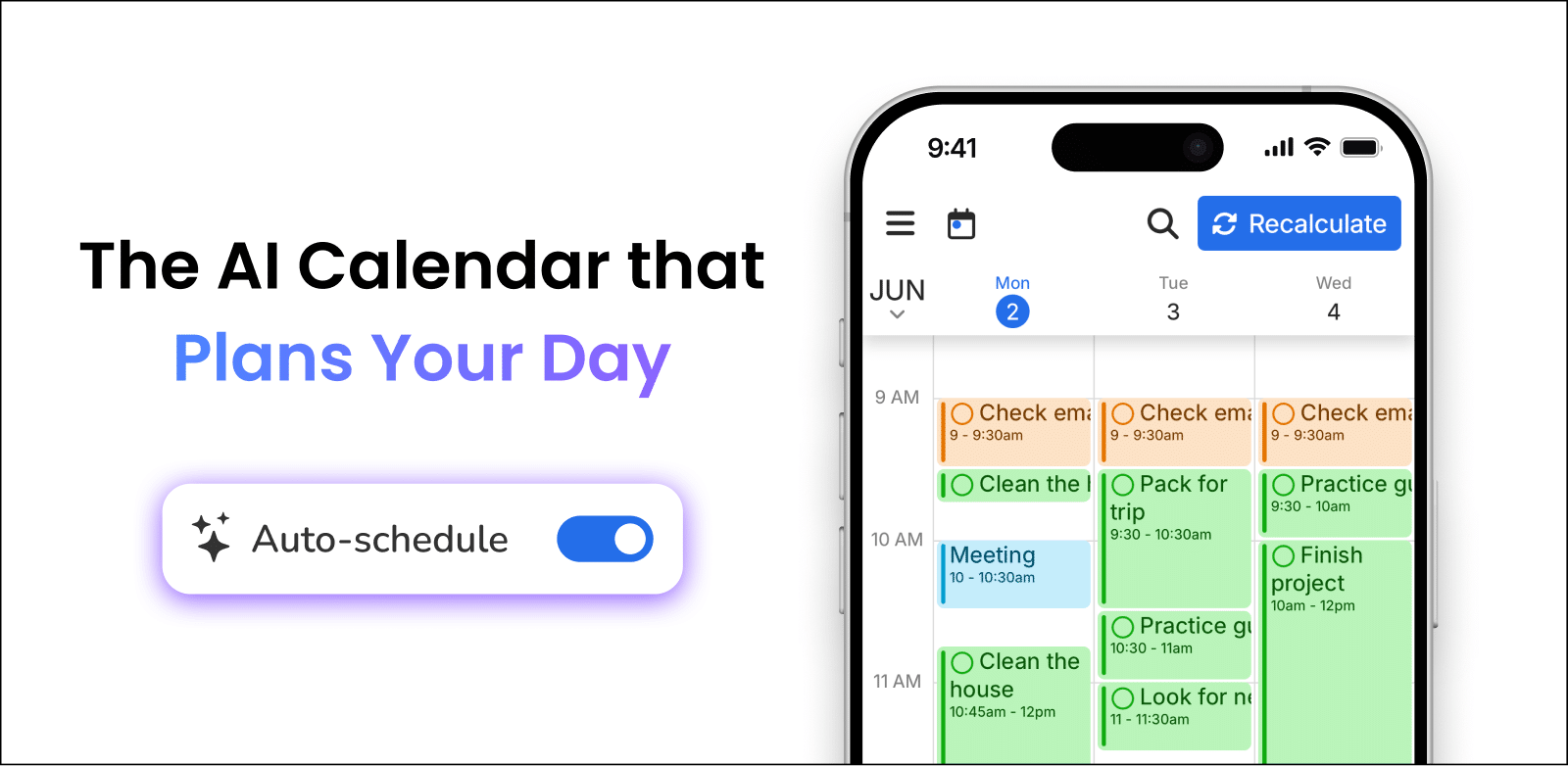
FlowSavvy automatically turns your to-do list into a smart, time-blocked calendar, rescheduling tasks on the fly whenever your day changes.
Overview
FlowSavvy is an intelligent scheduling assistant that takes the guesswork out of time management by automatically slotting your tasks directly into your calendar. Rather than manually time-blocking every workout, meeting, or study session, you simply add tasks and let FlowSavvy build a realistic, color-coded game plan for your week. It syncs seamlessly with Google Calendar, iCloud, and Outlook, and works across fully-featured iOS, Android, and Web apps so your schedule stays consistent everywhere you go.
What sets FlowSavvy apart is its dynamic rescheduling engine: the moment life throws a curveball, missed workouts, running-late meetings, or new priorities, the app automatically recalculates and rearranges your remaining tasks so nothing falls through the cracks. With features like recurring task scheduling, custom scheduling hours, tagging, and filtering, it adapts to a wide range of workflows, from balancing side hustles and hobbies to managing ADHD-related focus challenges.
Whether you're a student juggling classes and extracurriculars, an entrepreneur wearing multiple hats, or simply someone who wants a clearer visual sense of their day, FlowSavvy turns a chaotic to-do list into an organized, adaptable schedule that keeps pace with real life.
Capabilities & Features
- Time blocking
- Task management
- Scheduling
- Calendar integration
- Productivity
- Automation
- To-do list
- Google Calendar
- iCloud Calendar
- Outlook Calendar
Core Features
- Automatic task scheduling into your calendar
- Two-way integration with Google Calendar, iCloud, and Outlook
- Real-time automatic rescheduling when plans change
- Color-coded task visualization for quick workload insights
- Recurring task scheduling for habits and routines
- Customizable scheduling hours and multiple scheduling profiles
- Task management with tagging, filtering, and priority levels
Use Cases
- Automatically blocking time for workouts, language lessons, or hobbies each week
- Helping individuals with ADHD stay on track by auto-recalculating schedules after disruptions
- Separating and balancing work hours from personal time using custom scheduling windows
- Visualizing weekly workload at a glance through color-coded task categories
- Coordinating deadlines and recurring commitments across multiple synced calendars
Best For
- Entrepreneurs
- Students
- Busy professionals
- Individuals with ADHD
- Freelancers
- Anyone wanting better time management
Pros
- •Removes the manual effort of time blocking by auto-scheduling tasks
- •Automatically adapts your calendar when plans or priorities shift
- •Works across Google Calendar, iCloud, and Outlook for flexible syncing
- •Fully functional apps on Web, iOS, and Android for on-the-go access
- •Free plan offers unlimited events, tasks, and auto-rescheduling
Cons
- •Free plan limits calendar syncing to just two calendars and one scheduling profile
- •Advanced features like task dependencies and priority levels require the Pro upgrade
- •Heavy reliance on automation may require an adjustment period for users who prefer manual control
- •Auto-scheduling up to 2 weeks out on the free tier may feel limiting for long-term planners
How to Use
1. Sign up and connect your Google Calendar, iCloud, or Outlook account. 2. Add your tasks, deadlines, and recurring commitments into FlowSavvy's task list. 3. Let the app automatically time-block these tasks into open slots on your calendar based on your preferences. 4. Set custom scheduling hours, tags, and priority levels to fine-tune how tasks are organized. 5. Drag and drop any task manually if you want to override the automatic placement. 6. As your day changes, FlowSavvy automatically reschedules remaining tasks so your plan stays realistic and up to date.
Frequently Asked Questions
Connect & Contact
Pricing
FlowSavvy offers a robust free Basic plan with unlimited tasks and auto-rescheduling, while the Pro plan (from $5/mo billed annually) unlocks longer scheduling horizons, unlimited calendar syncing, and advanced task prioritization.
Pricing data is provided as a summary. Visit the vendor website for full tier details.