Emberly: AI Mind Mapping & Visual Note-Taking Tool
Emberly blends mind-mapping and note-taking into one visual workspace, using AI to help you organize, learn, and collaborate more efficiently.
Overview
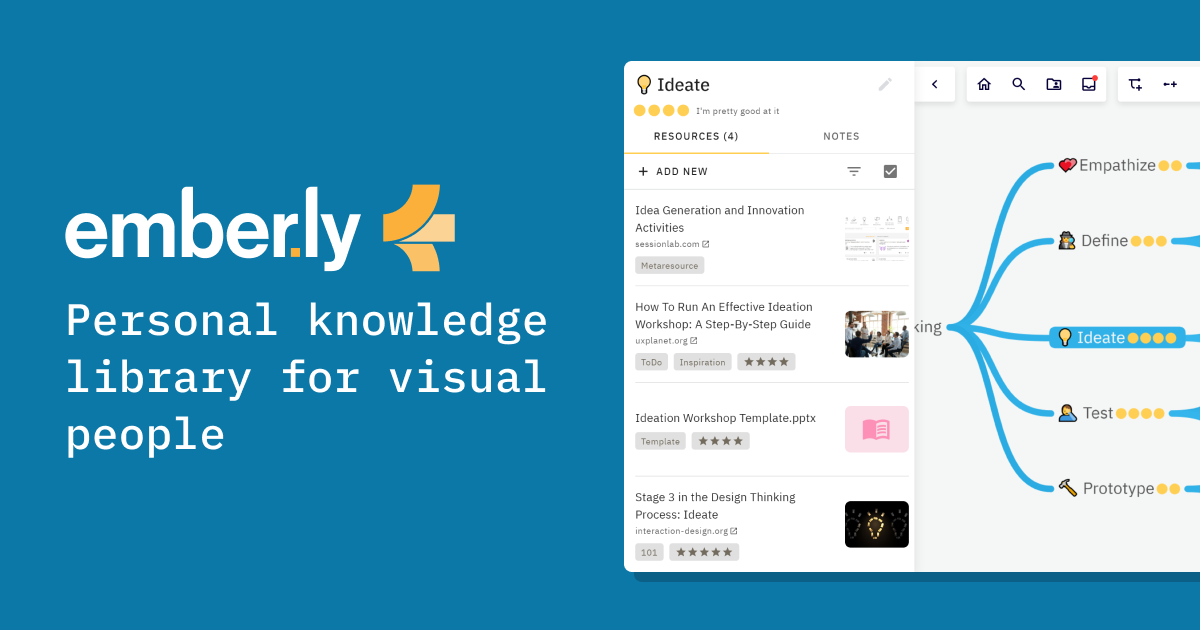
Emberly is a visual thinking tool that merges mind-mapping with note-taking, letting you store notes, files, and bookmarks inside organized, interconnected nodes. Rather than juggling separate apps for notes, links, and diagrams, Emberly gives you a single visual canvas where ideas naturally connect through bi-directional links, making it easier to see the bigger picture and reduce information overload.
What sets Emberly apart is its layer of AI-enhanced learning tools, including AI-generated mind maps, automatic quizzes, a built-in writing assistant, and even a discussion simulator to help you engage with material more deeply. Combined with a browser plug-in for saving bookmarks and collaborative editing features, it's built for anyone who needs to capture, structure, and retain knowledge—whether that's a student prepping for exams, a researcher mapping out a thesis, or a team building a shared wiki.
From building a personal knowledge library to mapping out a CV, managing belongings, or sharing content with collaborators, Emberly adapts to a wide range of organizational needs. Its visual-first approach makes complex information easier to digest and remember, positioning it as a smart alternative to traditional linear note-taking apps.
Capabilities & Features
- Mind-mapping
- Note-taking
- Visual organization
- AI learning
- Collaboration
- Bookmarks
- File management
- Knowledge management
Core Features
- Combined mind-mapping and note-taking canvas
- Visual organization of notes, files, and bookmarks
- AI-generated mind maps and automatic quizzes
- Built-in AI writing assistant and discussion simulator
- Bi-directional linking between nodes
- Browser plug-in for one-click bookmark saving
- Real-time collaborative editing
Use Cases
- Building a personal knowledge library
- Mapping out a CV or career history visually
- Organizing and tracking personal belongings
- Sharing curated content and resources with others
- Creating a collaborative team wiki
- Learning and reviewing new topics with AI quizzes
Best For
- Students
- Professionals
- Researchers
- Knowledge workers
- Teams
Pros
- •Combines note-taking, bookmarking, and mind-mapping in one visual tool
- •AI features like auto-quizzes and mind-map generation speed up learning
- •Bi-directional links make it easy to build a connected knowledge base
- •Collaborative editing supports team workflows and shared wikis
- •Generous free plan with unlimited notes and bookmarks
Cons
- •Free plan limits maps to five and caps topics per map at 70
- •AI features are throttled or unavailable on lower-tier plans
- •File upload storage is limited even on paid plans (10GB-25GB)
- •Visual mind-mapping approach may not suit users who prefer linear note-taking
How to Use
1. Sign up for a free Emberly account. 2. Create a new mind map and start adding nodes for your notes, files, and ideas. 3. Use the browser plug-in to save bookmarks directly into your nodes. 4. Link related nodes together using bi-directional links to build a connected knowledge web. 5. Leverage AI tools to auto-generate mind maps, create quizzes for study material, or get writing assistance. 6. Invite collaborators to co-edit maps for team projects or shared wikis. 7. Upgrade your plan as needed for more maps, storage, and unlimited AI features.
Frequently Asked Questions
Pricing
Emberly offers a robust free Basic plan, with paid tiers starting at $5/month (Plus) and $10/month (Plus Ultra) that unlock unlimited maps, more storage, and unlimited AI quizzes.
Pricing data is provided as a summary. Visit the vendor website for full tier details.