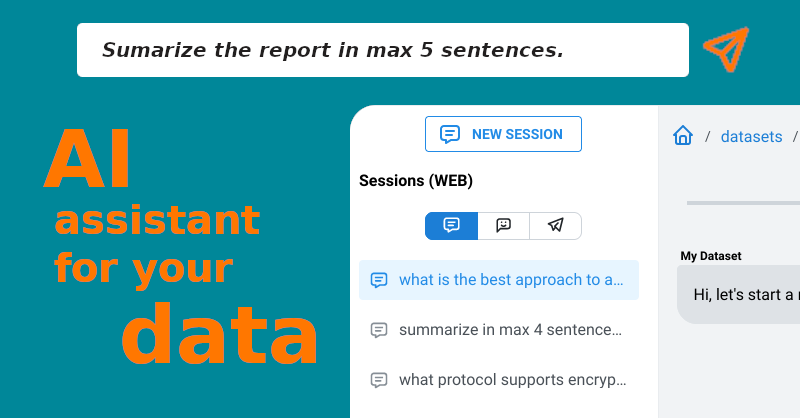
ChattyDocs: AI Chat Assistant for Documents & PDFs
ChattyDocs lets you turn any document, PDF, file, or website into a conversational AI assistant that answers questions with cited sources.
Overview
ChattyDocs transforms static files and websites into interactive knowledge bases you can talk to. Instead of manually digging through stacks of PDFs or scrolling endless web pages, users upload their content, let the AI index it in the background, and then ask questions in plain language to get instant, source-backed answers. This makes it especially useful for anyone who needs to quickly extract insights from large volumes of information.
Beyond simple Q&A, ChattyDocs gives users granular control over how their AI assistant behaves. You can organize your content into datasets, choose which chat model powers your responses, dial creativity up or down, and even give your assistant a custom name and personality. Datasets can be updated on the fly by adding or removing documents, shared publicly via link, or connected to Telegram for on-the-go conversations.
Whether you're a researcher parsing academic papers, a support team building a self-serve knowledge bot, or an educator organizing course materials, ChattyDocs streamlines the process of turning raw content into a searchable, conversational resource—complete with citations so you always know where an answer came from.
Capabilities & Features
- AI assistant
- Document chatbot
- PDF chatbot
- Website chatbot
- Knowledge base
- Telegram bot
- Data analysis
Core Features
- Chat interface for documents, PDFs, files, and websites
- Dataset management with editable properties
- Telegram bot integration for mobile access
- Public dataset sharing via link
- Source citation on every AI response
- Customizable AI model, creativity, and personality settings
Use Cases
- Quickly querying large sets of research papers or reports without manual reading
- Building a self-service customer support bot trained on internal documentation
- Creating shareable public knowledge bases for teams or communities
- Summarizing and interacting with website content for competitive or market research
- Organizing course materials into a conversational study assistant for students
Best For
- Researchers
- Educators
- Businesses
- Writers
- Customer support teams
- Knowledge managers
Pros
- •Provides source citations, increasing trust and verifiability of answers
- •Flexible input options including files and website links
- •Telegram integration enables conversational access outside the browser
- •Customizable AI personality and creativity for tailored interactions
- •Easy dataset editing—add or remove documents without starting over
- •Public sharing option makes it simple to distribute knowledge bases
Cons
- •Upload limits and monthly text caps may restrict heavy users on lower tiers
- •Query limits per month could be constraining for high-traffic use cases
- •API access is reserved for higher-priced Scale and Enterprise plans
- •Effectiveness depends on quality and clarity of uploaded source material
How to Use
1. Prepare your dataset by uploading files (PDFs, text documents) or providing a website link.
2. Configure dataset properties—select a chat model, adjust the AI's creativity level, and give it a name and personality.
3. Start chatting with your dataset and receive answers accompanied by source citations (document name, page number, or website link).
4. Add or remove documents anytime to keep your dataset current, and optionally share it publicly or connect it to a Telegram bot.
Frequently Asked Questions
Pricing
ChattyDocs offers three monthly tiers—Casual at $9, Scale at $49, and Enterprise at $399—scaling up dataset limits, Telegram bots, upload capacity, query allowances, and features like API access and priority support.
Pricing data is provided as a summary. Visit the vendor website for full tier details.