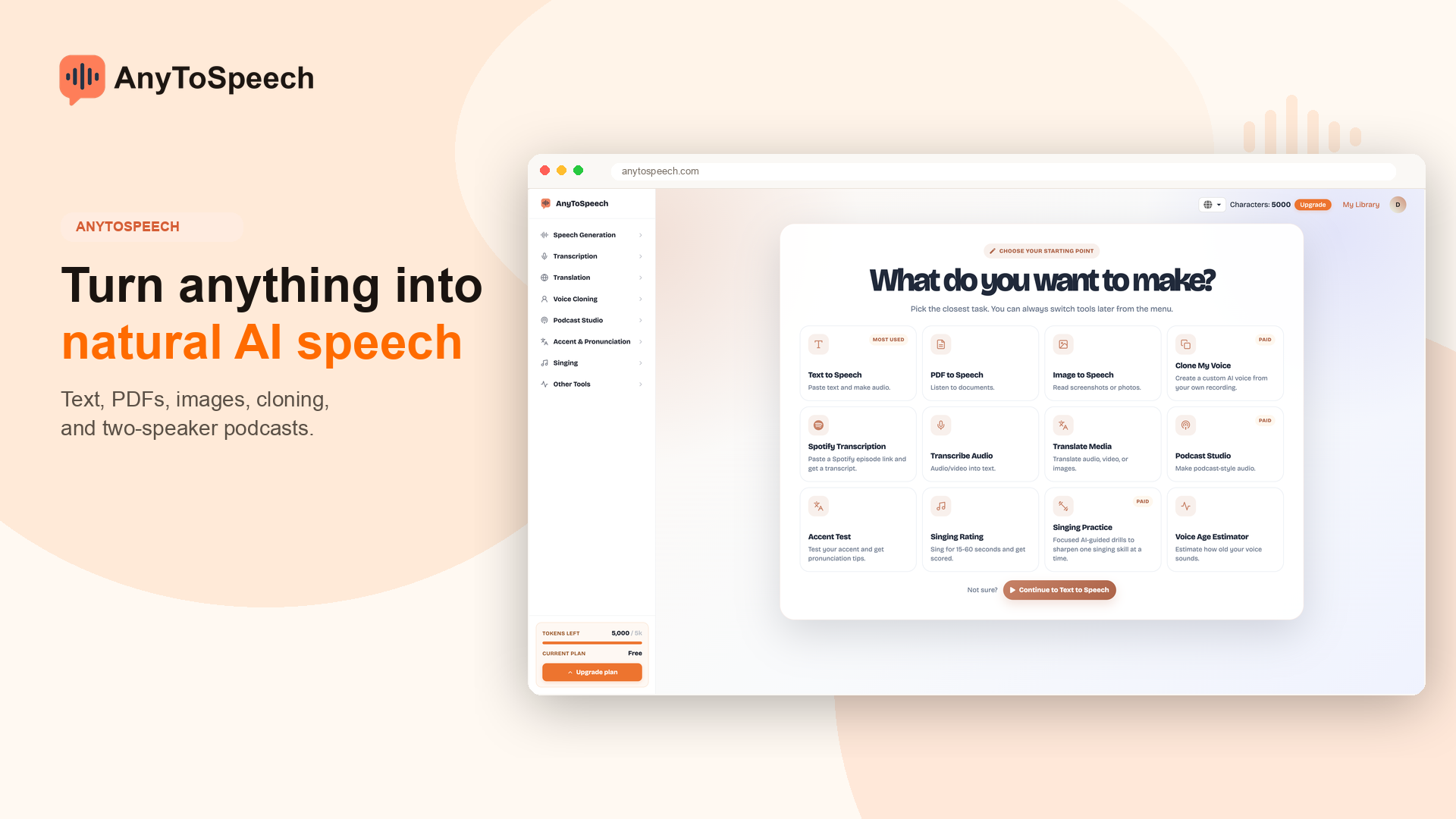
AnyToSpeech: AI Text-to-Speech & PDF to MP3 Converter
AnyToSpeech turns text, PDFs, and documents into natural-sounding audio in seconds. Choose from multiple voices and styles to create audiobooks, podcasts, and voiceovers instantly.
Overview
AnyToSpeech is a versatile online text-to-speech platform designed to transform written content into lifelike audio. Whether you're working with plain text, uploading a PDF, DOCX, or TXT file, or pulling content from a URL, the tool leverages AI-driven voice synthesis to produce natural, human-like narration. Users can browse a diverse library of voices and vibes, tailoring tone and delivery to match their project's needs.
Beyond simple conversion, AnyToSpeech is built for real-world content creation. It supports the production of full-length audiobooks, podcast episodes, video voiceovers, and downloadable MP3 files, all accessible directly in the browser or as exportable audio. This makes it a practical solution for anyone looking to repurpose written material into audio format quickly and affordably.
With flexible pricing options ranging from a free trial tier to large character-based packages, AnyToSpeech caters to casual users and high-volume creators alike. Its combination of format support, customizable voice styles, and instant playback positions it as a go-to tool for students, authors, marketers, and content producers seeking an efficient text-to-audio workflow.
Capabilities & Features
- Text to speech
- TTS
- PDF to MP3
- Audiobook
- Voiceover
- Podcast
- AI voice
- Speech synthesis
- Audio conversion
Core Features
- Text-to-speech conversion with natural AI voices
- PDF-to-MP3 conversion for documents and books
- Wide selection of voice options and customizable styles
- Support for multiple file formats: text, PDF, DOCX, and TXT
- Instant in-browser audio playback
- MP3 download for offline listening and sharing
Use Cases
- Turning PDF books or research papers into audiobooks
- Producing professional voiceovers for video content
- Creating and publishing podcast episodes from scripts
- Listening to study materials or reports hands-free during commutes
- Converting lecture notes or textbooks into audio for easier learning
Best For
- Students
- Professionals
- Content creators
- Authors
- Marketers
- Podcasters
- Video producers
Pros
- •Supports multiple input formats including PDF, DOCX, and TXT
- •Offers a variety of natural-sounding voices and customizable styles
- •Instant browser playback with no waiting for downloads
- •Flexible pricing with both one-time purchases and subscriptions
- •Unused characters roll over, adding long-term value
Cons
- •Free plan is limited to just 15 seconds of audio and 200 characters per day
- •Commercial use requires a paid plan
- •Free tier includes a branded 'Created with AnyToSpeech' tag
- •Large-scale projects may require the priciest character packages
How to Use
1. Paste your text directly into the input box, or upload a PDF, DOCX, or TXT file. 2. Select your preferred voice and vibe/style from the available options. 3. Click 'Create your audio' to begin the conversion process. 4. Once processing completes, listen to the audio directly in your browser or download it as an MP3 file for offline use.
Frequently Asked Questions
Open in AI Studio
Ask our AI to evaluate if AnyToSpeech fits your specific workflow.
Pricing
AnyToSpeech offers a free plan with very limited daily audio, plus one-time character packages starting at $14 for 100,000 characters and $69 for 1,000,000 characters, with no expiration and full commercial usage rights.
Pricing data is provided as a summary. Visit the vendor website for full tier details.