All Quiet: Incident Management & On-Call Alerting Tool
All Quiet is an incident management platform that delivers real-time, multi-channel alerting and smart on-call scheduling so tech teams can resolve issues before customers notice.
Overview
All Quiet is a modern incident escalation and response platform built to keep engineering, DevOps, and SRE teams ahead of outages instead of reacting to them. At its core, it combines flexible on-call scheduling with smart, multi-channel alerting—push notifications, SMS, email, and phone calls—so the right person is notified the moment something breaks, without drowning teams in noise. Native iOS and Android apps with do-not-disturb override ensure critical alerts always get through, even outside business hours.
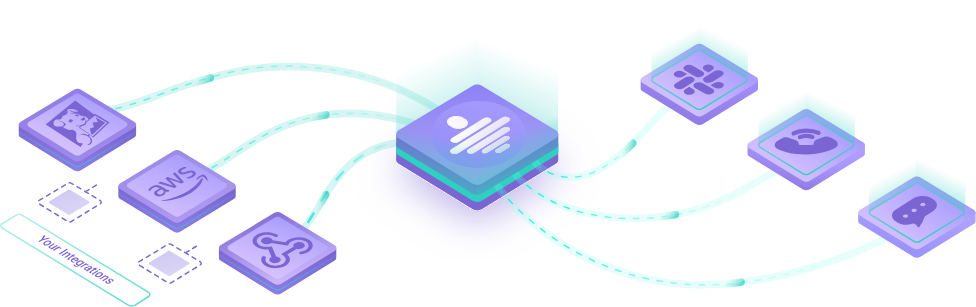
Beyond alerting, All Quiet rounds out the incident lifecycle with status pages for transparent customer communication, website monitoring to catch issues proactively, and robust reporting to track on-call load and response performance. With more than 35 built-in integrations spanning monitoring tools like Datadog, Grafana, and Prometheus Alertmanager, plus collaboration platforms like Slack, Microsoft Teams, Jira, and Linear, it slots neatly into existing workflows. Teams that need something more bespoke can rely on custom webhooks or the Terraform provider for infrastructure-as-code setups.
Whether you're a scrappy startup setting up your first escalation policy or an enterprise team needing SCIM provisioning and dedicated support, All Quiet scales to match the complexity of your incident management needs while staying fast to configure and easy to use.
Capabilities & Features
- Incident management
- On-call scheduling
- Alerting
- Escalation policies
- Status pages
- Website monitoring
- Integrations
- IT automation
- Real-time alerting
- Mobile app
- Webhooks
- Terraform
Core Features
- On-call scheduling and escalation policies
- Multi-channel alerting (push, SMS, email, phone)
- Smart alert handling to reduce noise
- Incident response automation
- Public status pages for customer communication
- Website monitoring
- On-call time reporting
- 35+ integrations including Slack, Jira, Datadog, and Grafana
Use Cases
- Automating escalation chains so critical alerts reach the right engineer immediately
- Reducing mean-time-to-resolution with smart, multi-channel notifications
- Communicating outages transparently to customers via public status pages
- Tracking on-call workload and response trends across teams
- Connecting monitoring stacks like CloudWatch, Prometheus, or Azure Monitor to a unified alerting system
Best For
- Developers
- IT professionals
- SREs
- DevOps engineers
- Tech teams
- Startups
- Enterprises
Pros
- •Fast setup—functional on-call schedules in under 10 minutes
- •Extensive library of 35+ native integrations plus webhook support
- •Multi-channel alerting with mobile apps that override do-not-disturb for urgent issues
- •Includes customer-facing status pages out of the box
- •Scales from small teams to enterprise with SCIM, OIDC, and Terraform support
Cons
- •Status pages and advanced routing are locked behind the Pro tier
- •Per-user pricing can add up quickly for larger teams
- •Enterprise-grade features like custom billing and dedicated support require contacting sales
- •Smart alert handling may need tuning to match team-specific workflows
How to Use
1. Sign up and connect your monitoring and collaboration tools using one of the 35+ built-in integrations or a custom webhook. 2. Build on-call schedules and define escalation policies for your team. 3. Choose preferred alerting channels—push, SMS, email, or phone call—for each escalation tier. 4. Set up status pages to keep customers informed during incidents. 5. Monitor incident response performance using built-in reporting, and refine escalation rules as needed. The whole setup typically takes under 10 minutes.
Frequently Asked Questions
Pricing
All Quiet offers a Standard plan at $4.99/user/month for core escalation and routing features, a Pro plan at $9.99/user/month adding status pages and advanced capabilities, and a custom-priced Enterprise plan for larger organizations needing dedicated support.
Pricing data is provided as a summary. Visit the vendor website for full tier details.