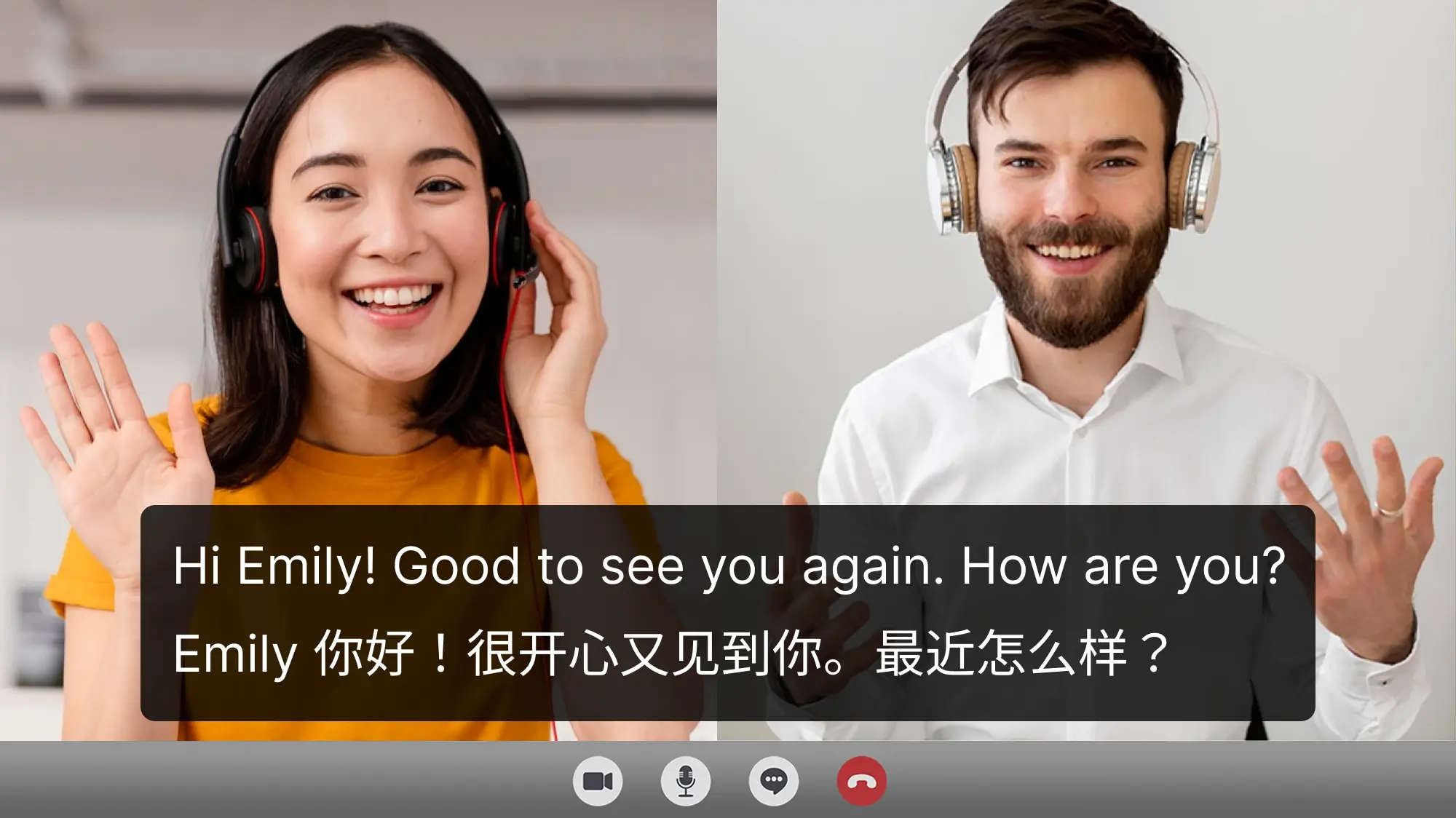
Akkadu AI Subtitles: Real-Time Captions in 90+ Languages
Akkadu delivers instant AI-generated subtitles for any video, stream, or call in over 90 languages, breaking down language barriers with less than a second of latency.
Overview
Akkadu is an AI-powered live captioning tool built to make audio and video content accessible to everyone, regardless of the language it's originally spoken in. By generating real-time subtitles in more than 90 languages, it allows users to instantly translate and understand webinars, video conferences, live streams, and even movies as they happen. Rather than being locked into a single platform, Akkadu works as a universal overlay compatible with Zoom, Microsoft Teams, YouTube Live, Netflix, and virtually any other source of computer audio.
What sets Akkadu apart is its speed and simplicity. With latency under one second, subtitles stay tightly synced to the original audio, creating a viewing experience that feels natural rather than delayed. After each session, users also receive an automatically generated transcript in their chosen language, making it easy to revisit key points from a lecture, meeting, or stream. Whether you're a student following an international lecture, a professional joining a cross-border meeting, or simply catching up on foreign-language entertainment, Akkadu removes the friction of language barriers with minimal setup.
Capabilities & Features
- AI subtitles
- Live captions
- Real-time translation
- Multilingual support
- Video conferencing
- Webinars
- Accessibility
- Transcription
Core Features
- Real-time AI-generated subtitles in 90+ languages
- Universal compatibility with any platform playing computer audio (Zoom, Teams, YouTube Live, Netflix, and more)
- Automatic post-session transcript generation in your chosen language
- Ultra-low latency of under one second for tightly synced captions
- Simple, no-integration setup via desktop app for Windows and macOS
Use Cases
- Translating and understanding foreign-language videos and audio files in real time
- Following along with live streams in a preferred language
- Actively participating in international webinars and video conferences
- Enjoying movies and dramas with instant, accurate subtitles
- Providing accessible captioning support for individuals with hearing impairments
Best For
- Students attending international lectures
- Business professionals in cross-border meetings
- Language learners practicing comprehension
- Global and remote teams
- Individuals with hearing impairments
- Media and entertainment fans watching foreign content
Pros
- •Supports an extensive range of over 90 languages
- •Works across virtually any platform, not limited to specific apps
- •Near-instant subtitle generation keeps pace with live audio
- •Transcripts are saved automatically for later reference
- •Flexible pay-as-you-go pricing with no forced subscription
Cons
- •Requires downloading and installing a separate desktop application
- •No native mobile app mentioned, limiting on-the-go use
- •Costs can accumulate for heavy, long-term users compared to flat-rate subscriptions
- •Accuracy may vary depending on audio quality and accent complexity
How to Use
1. Download and install the Akkadu app for Windows or macOS. 2. Create a free account to receive complimentary AI subtitle minutes. 3. Open the app, select your preferred subtitle language, ensure 'Computer Sound' is selected as the audio source, and click START to begin generating live subtitles instantly.
Frequently Asked Questions
Open in AI Studio
Ask our AI to evaluate if Akkadu AI Subtitles fits your specific workflow.
Pricing
Akkadu uses a simple pay-as-you-go model priced at $5 per hour, with discounts available when purchasing hour packages, and unused balance never expires.
Pricing data is provided as a summary. Visit the vendor website for full tier details.