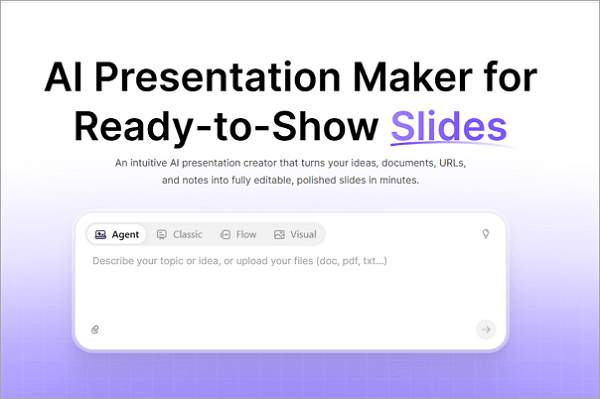
AiPPT: AI Presentation Maker for Slides & Docs
AiPPT turns text, documents, or web pages into polished presentations in seconds using AI-generated outlines, visuals, and layouts. It syncs seamlessly with PowerPoint and Google Slides for easy editing and sharing.
Overview
AiPPT is an AI-driven presentation builder designed to eliminate the hours typically spent formatting slides. By simply entering a topic, uploading a document, or pasting a webpage URL, users can generate a complete deck—complete with logical structure, visuals, and transitions—in moments. The platform draws on a diverse template library spanning business, education, and creative styles, ensuring the output feels professional rather than generic.
Beyond raw generation, AiPPT supports deep compatibility with tools people already use, including PowerPoint and Google Slides, plus import options for Word, PDF, TXT, Markdown, and mind-mapping formats like Xmind and Freemind. This makes it easy to repurpose existing content into a fresh, visually coherent presentation rather than starting from a blank canvas. Whether drafting a sales pitch, a classroom lecture, or a project update, AiPPT condenses the ideation-to-slide workflow into a few clicks, letting users focus on refining content instead of wrestling with design.
Capabilities & Features
- AI presentation maker
- PowerPoint generator
- Google Slides generator
- Presentation templates
- AI design
- Automated presentation creation
- PPT
- Deck templates
Core Features
- AI-powered slide generation from text, documents, or URLs
- Automatic outline creation for logical content flow
- Diverse template library with varied visual styles
- Native synchronization with PowerPoint and Google Slides
- Multi-format import support (Word, PDF, TXT, Markdown, Xmind, Freemind)
- Export options including PDF, PPT, and image formats
Use Cases
- Building a business pitch deck directly from a one-line concept
- Transforming a lengthy report or PDF into a structured slide deck
- Converting a blog post or webpage into a shareable presentation
- Preparing classroom lecture slides quickly from lesson notes
- Generating client-ready proposals for marketing or consulting teams
Best For
- Business professionals
- Educators
- Students
- Marketing teams
- Project managers
- Consultants
Pros
- •Dramatically speeds up presentation creation from scratch
- •Supports a wide range of import formats, including mind maps and documents
- •Seamless compatibility with PowerPoint and Google Slides workflows
- •Template variety suits both professional and creative contexts
- •Export flexibility across PDF, PPT, and image formats
Cons
- •Free plan is limited to a small number of total generations and slides
- •Advanced import features like Google Drive and URL import require a paid plan
- •AI-generated content may still need manual editing for polish and accuracy
- •Higher-volume users may quickly outgrow the Plus tier's daily generation caps
How to Use
1. Start by entering a title, topic, or idea into AiPPT—or upload a document (PDF, Word, TXT) or paste a webpage URL. 2. Let the AI analyze the input and generate a structured outline with suggested slides. 3. Choose a template style from the library to apply visuals, layouts, and transitions. 4. Review the auto-generated presentation, editing text, images, or slide order as needed. 5. Export the final deck to PowerPoint, PDF, or image format, or sync directly with Google Slides for sharing and collaboration.
Frequently Asked Questions
Pricing
AiPPT offers a limited free tier (6 total generations, up to 10 slides) alongside two paid plans: Plus at $5/month and Pro at $7/month (with annual discounts), both unlocking expanded daily generations, more slides per deck, and full import/export capabilities.
Pricing data is provided as a summary. Visit the vendor website for full tier details.